
YouTube videos keep changing after you import them: views and likes grow, thumbnails get replaced, a video is made private or deleted. The Update videos tool refreshes every imported video post with the latest details from YouTube. Open Videos → Tools; it is the first tab.
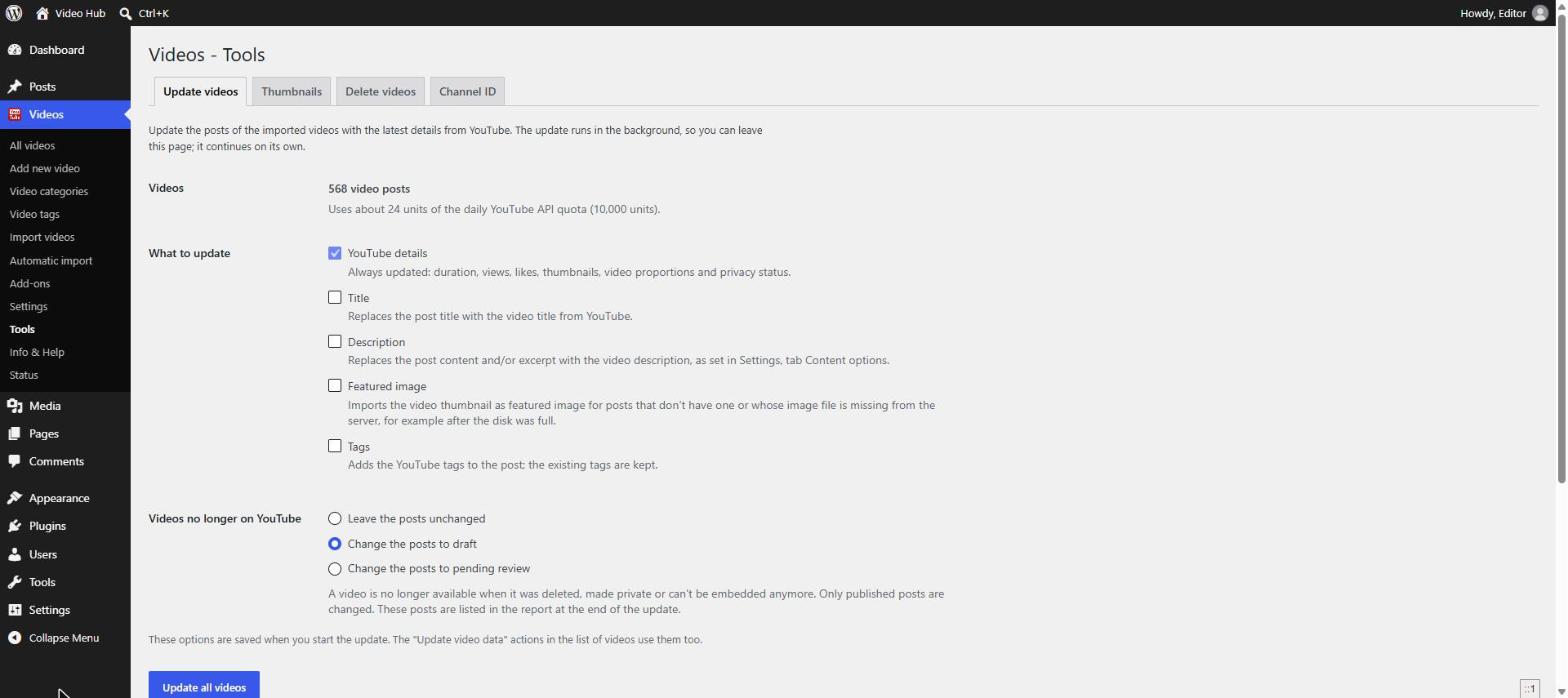
What to update
The tab shows how many video posts you have and roughly how much of your daily YouTube API quota the update will use — a few dozen units for several hundred videos, since details are requested in batches.
- YouTube details — always updated: duration, views, likes, thumbnails, video proportions and privacy status.
- Title — replaces the post title with the YouTube title.
- Description — replaces the post content and/or excerpt with the YouTube description, as set in Content options.
- Featured image — imports the thumbnail for posts that have none or whose image file is missing from the server.
- Tags — adds the YouTube tags; existing tags are kept.
Leave Title and Description unchecked if your editors rewrite them — otherwise their text is replaced.
Videos no longer on YouTube
Choose what happens to posts whose video was deleted, made private or can’t be embedded any more: Leave the posts unchanged, Change the posts to draft or Change the posts to pending review. Only published posts are changed, and every affected post is listed in the report at the end, with the videos removed or rejected by YouTube reported separately.
Run the update
Click Update all videos. The update runs in the background with Action Scheduler, so you can leave the page — it continues on its own. The tab shows the progress, and the update can be cancelled or continued. When it ends, a report lists what changed.
The options you choose are saved when you start the update. The Update video data row action and bulk action in the list of videos use the same options, so you can also refresh a single post or a selection.
When to use it
- After upgrading from a version older than 2.3, so older videos get their real proportions and Shorts play vertical.
- Every few months, to keep view counts and thumbnails current and catch videos that disappeared from YouTube.
- After a channel renamed or re-described its videos, if you want your posts to follow.
The daily removed videos check handles one video at a time as it gets visits; this tool checks the whole library at once.
Related tools: Thumbnails · Delete videos · Channel ID.