
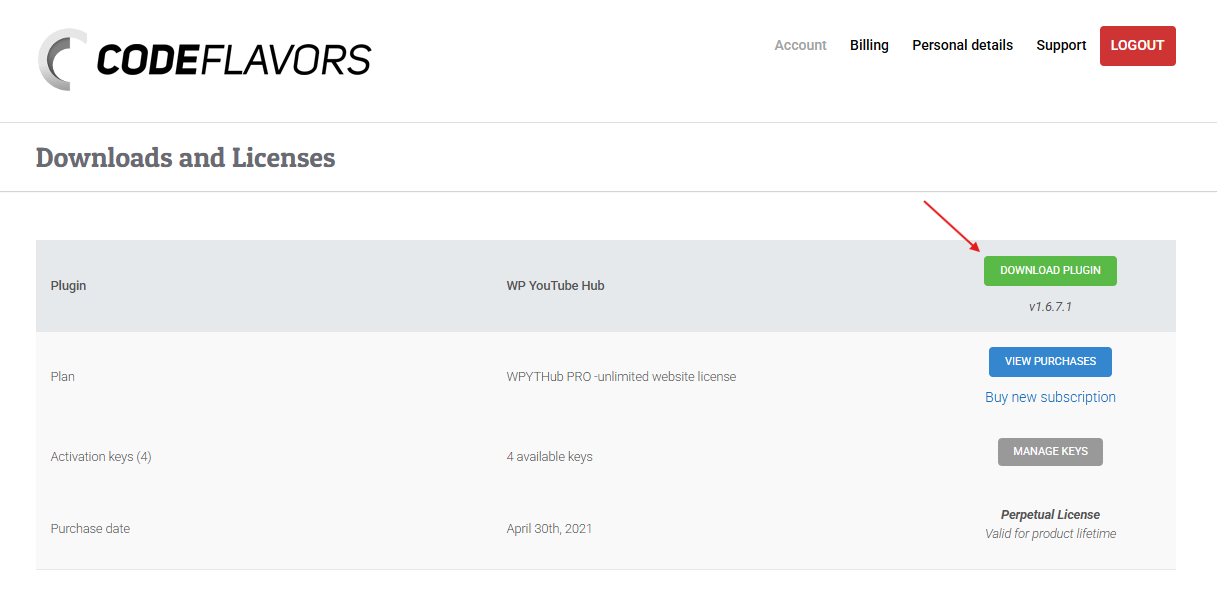
In order to install the plugin, you must first purchase a license for Video Hub. After your purchase is complete, the plugin is available to download from your CodeFlavors account at account.codeflavors.com.
Log in to your account and open the Downloads and Licenses page. Find Video Hub in the list and click the Download plugin button to get the latest version as a ZIP archive, ready to be installed in WordPress.
Installing the plugin in WordPress
To install the plugin in your WordPress website, go to WP Admin Plugins page and from the submenu choose Add new. Next, click Upload plugin next to the page title and using the upload form, choose the archive you downloaded from your CodeFlavors account.

Once successfully uploaded, WordPress will install the plugin and after finishing it will ask if you want to activate the plugin. Choose to activate the plugin and next, make sure you enter your YouTube API server key and purchase code.