
Your license key activates Video Hub on your website and lets you update the plugin straight from the WordPress Plugins page, with a notice whenever a new version is released. You get your key from your CodeFlavors account.
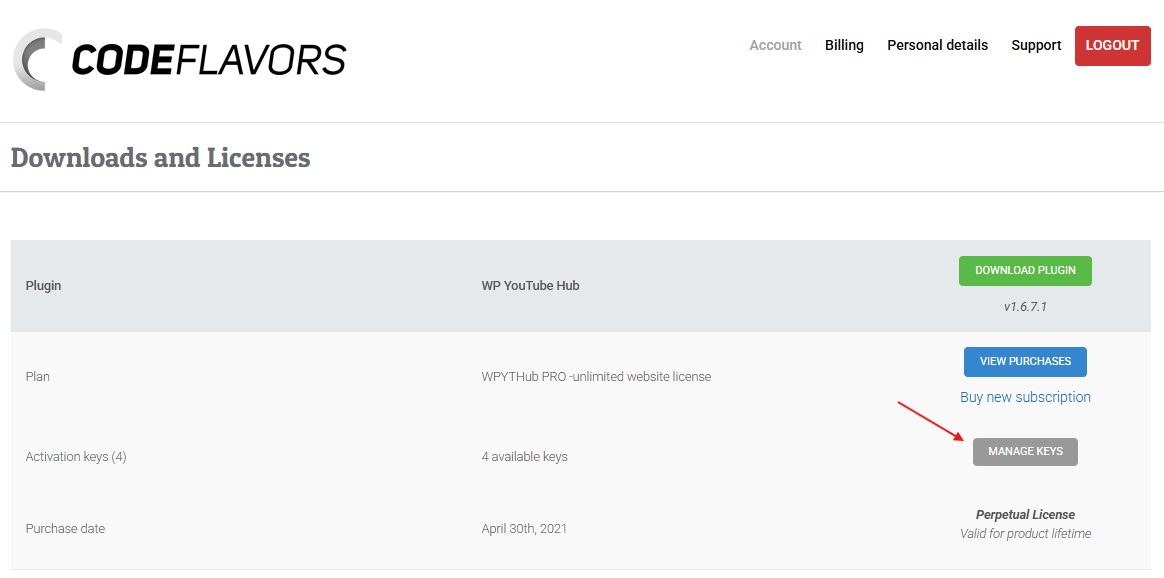
First, log in to your account at account.codeflavors.com and open the Downloads and Licenses page. Find Video Hub and, on the Activation keys row, click Manage keys.
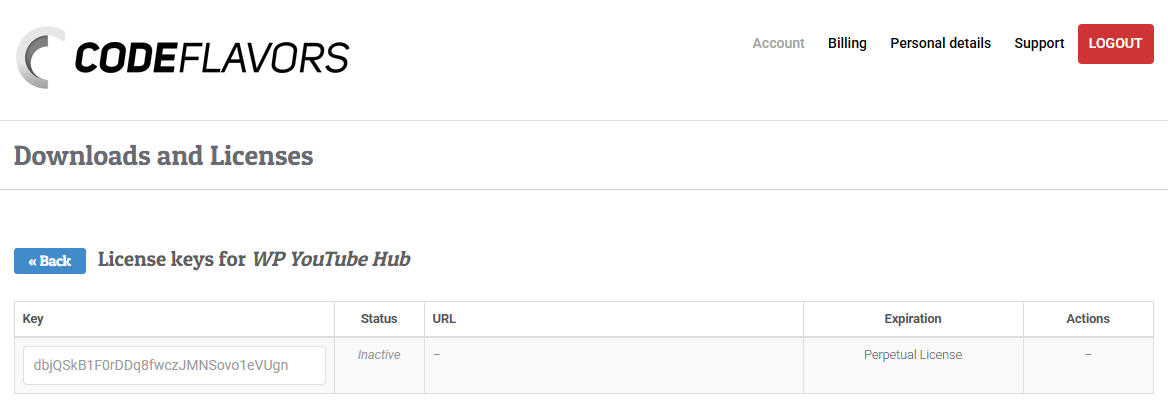
On the License keys page you will see the keys included with your license, along with each key’s status, the site it is activated on and its expiration. Copy an available (inactive) key.
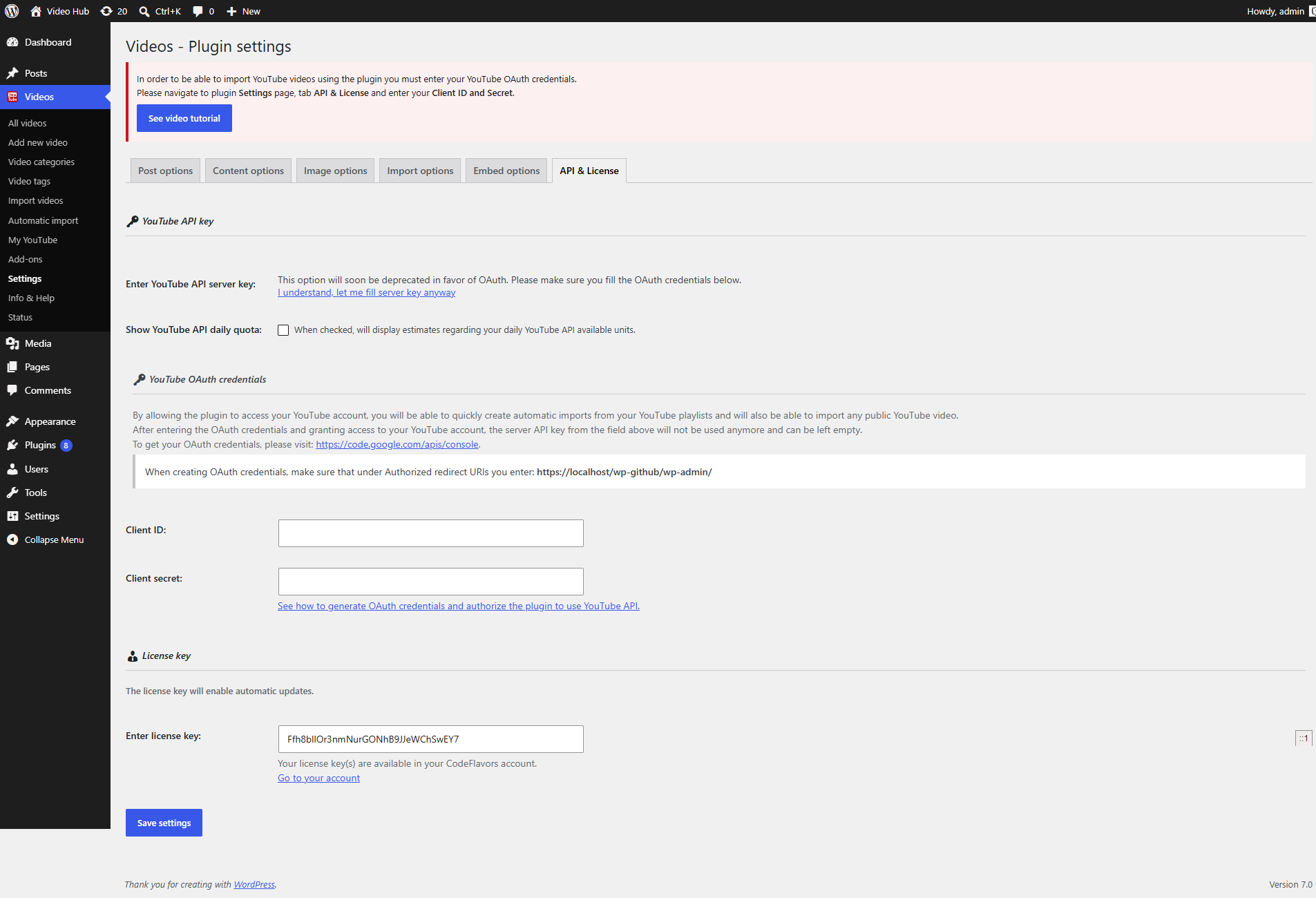
Next, in the plugin Settings page, open the API & License tab, find the Purchase code section and paste your license key into the field, then save.
Once you have also set your YouTube API server key, the plugin is ready to use.