
For YouTube creators, vloggers & podcasters
Publish once. Grow on YouTube and WordPress.
Upload to YouTube like you always do. Video Hub auto-posts every new video to your WordPress site — its own page, your design, your categories — so your site’s video library updates itself while you make the next episode.
Why a site of your own
Your channel, mirrored on a site you own
Your audience found you on YouTube, but every view ends on their platform — next to their suggestions and their ads. A WordPress site gives your work a home you control: an archive people browse by topic, pages you can link from your newsletter, your own sponsors and products next to every episode.
Without Video Hub
Every upload, by hand
- Copy the title and the description
- Paste the embed code into a new post
- Download the thumbnail and set it as the featured image
- Fix the date, pick a category, publish
- Repeat for every new video — and every old one
With Video Hub
Set it up once, then keep filming
- New uploads become posts on their own
- Title, description, thumbnail and YouTube date filled in
- Filed in the category you chose for the import
- Published right away, or saved as drafts for you to finish
- Your back catalog imported in the background
Setup · about 15 minutes
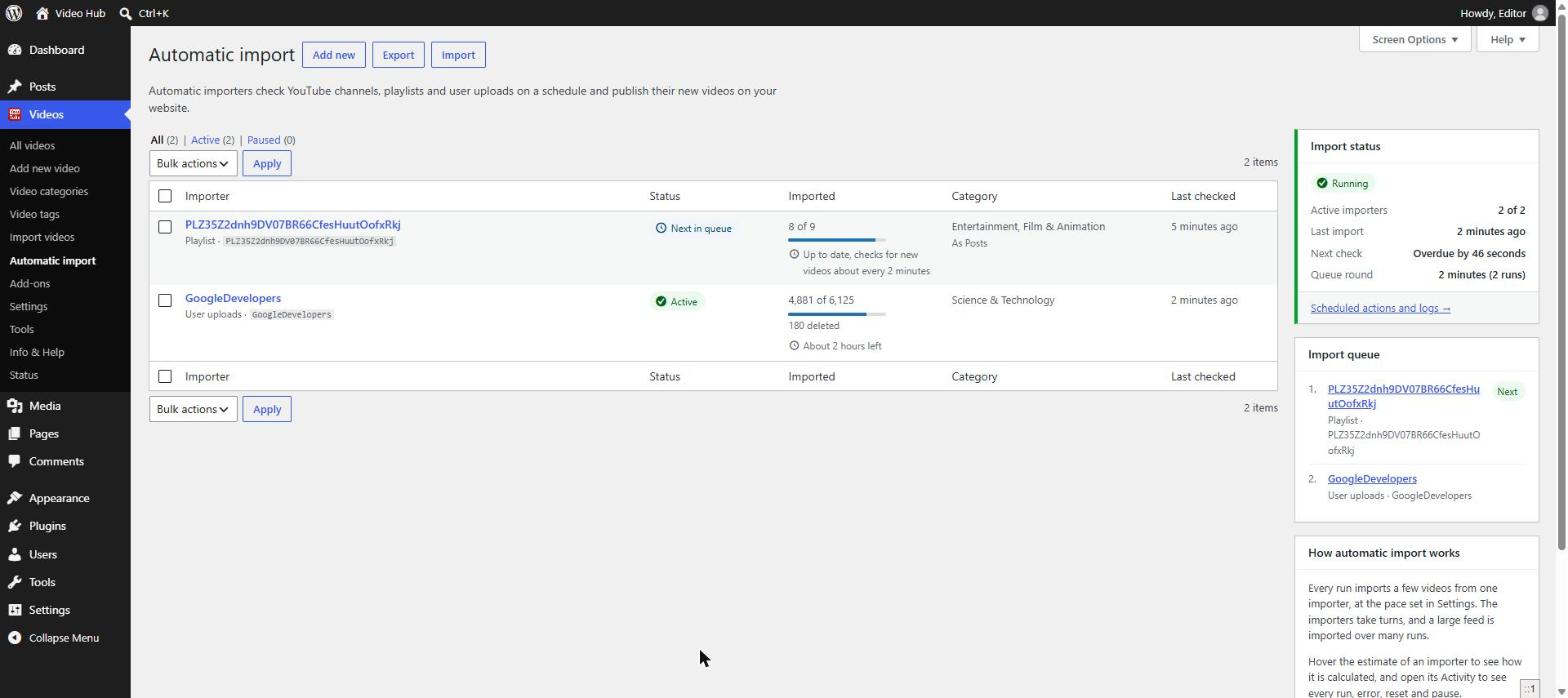
Connect, import, switch on
Three steps, once. After that your site keeps up with your channel without you opening the dashboard.
- Connect your YouTube accountSign in through OAuth — the plugin walks you through it and tests the connection. Step-by-step guide
- Import your back catalogLoad your channel and import everything, or just your best episodes. Large channels import in the background, a page at a time, with an estimate of how long the rest will take.
- Turn on the automatic importCheck “Import new videos right away” and each new upload appears on your site soon after it’s published on YouTube.
What you get
Everything a creator’s site needs
Your videos arrive as real WordPress content, so everything your theme and your plugins already do works with them. See the full feature list.
Every upload gets its own page
Title, description, thumbnail and the original publish date — as a regular blog post or a dedicated video section.
Episodes organized by topic
Sort videos into categories and show a playlist for each one in any of the six playlist themes.
Private & unlisted playlists
Import your own private and unlisted playlists too — handy for members-first or early-access episodes.
Fast episode pages
The Post Video block loads the YouTube player only when someone clicks play, so pages open quickly.
Edited a video on YouTube?
Refresh titles, thumbnails and view counts across your site with Tools → Update videos.
Build pages your way
Place videos and playlists with Gutenberg blocks, Elementor widgets or shortcodes.
YouTube Shorts
Shorts stay vertical, next to your episodes
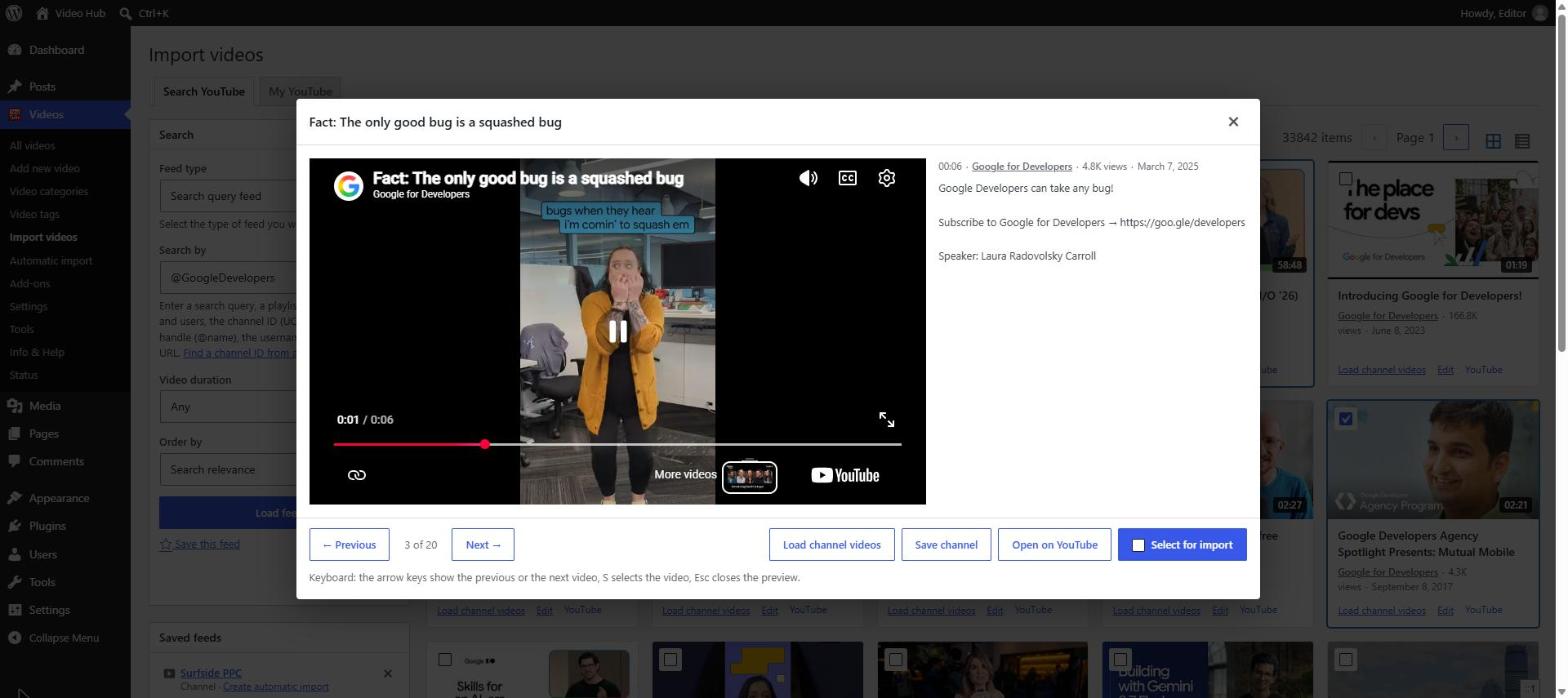
Every video is embedded with its own proportions, so a vertical Short never sits in a letterboxed widescreen frame. If your site is only for full episodes, leave Shorts out.
- Vertical, square and widescreen videos each keep their shape
- Shorts are labelled on the Import videos page and can be hidden
- Skip Shorts in an automatic import — vertical or square videos up to 3 minutes
Episode pages
Make each episode page worth visiting
An imported video is a starting point. Each one is a normal WordPress post, so you can add show notes, links to products you mentioned, a transcript or a newsletter sign-up — the context that makes the page useful, and gives search engines a reason to show it. Our video SEO guide explains what helps.
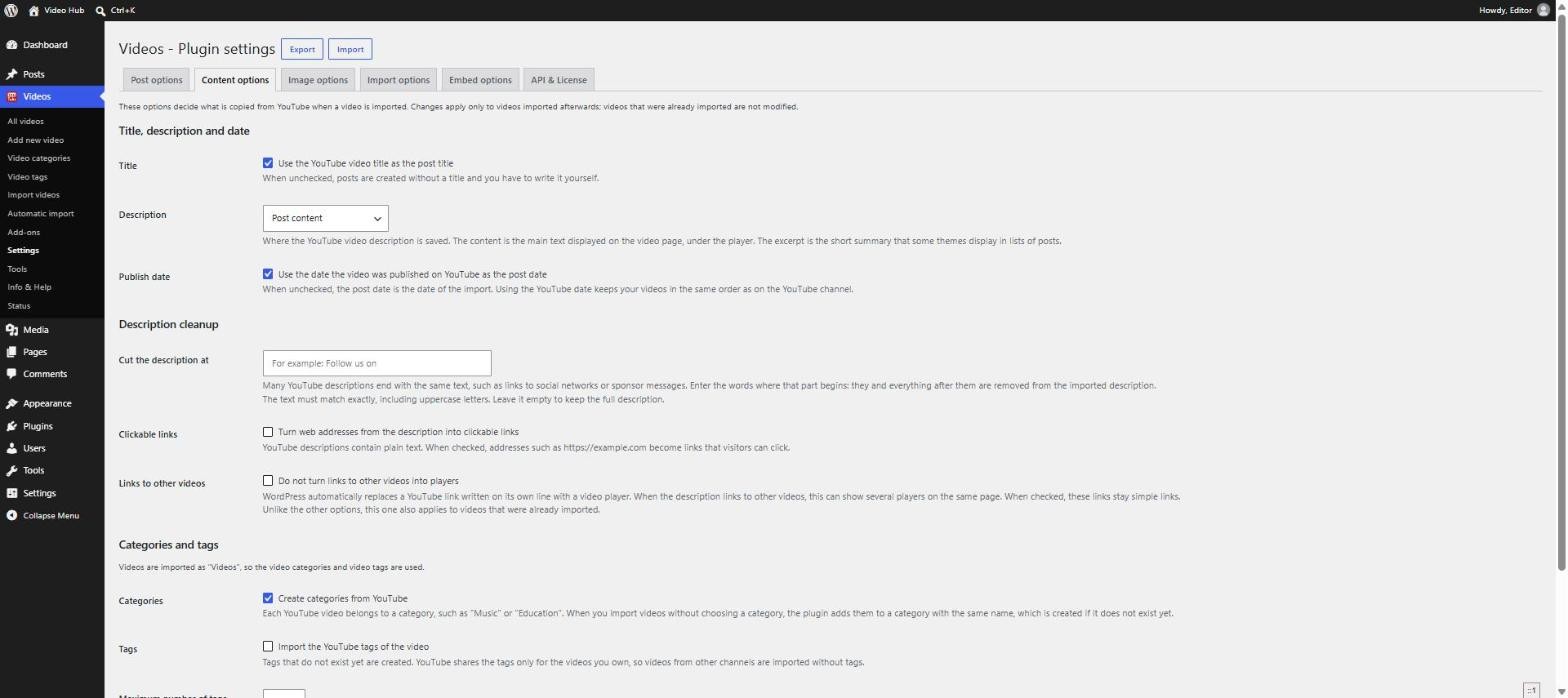
- Cut the repeated “Follow me on…” block off every description
- Turn web addresses in descriptions into clickable links
- Keep the YouTube publish date, so episodes stay in order
- Import new videos as drafts and write the context before they go live
FAQ
Questions creators ask
Will this take views away from my YouTube channel?
No — the videos play through the YouTube player, so plays on your site are still YouTube views. Your site simply becomes another place people find and watch them.
Do I need to touch the site after each upload?
Not unless you want to. Automatic imports run in the background; you can check what happened any time in the import’s activity log.
Can I bring in my old videos too?
Yes. The automatic import works through your whole channel, and the Import videos page lets you hand-pick older videos. See how to import a YouTube channel into WordPress.
Can I leave my Shorts out?
Yes. Turn on “Skip YouTube Shorts” in an automatic import and vertical or square videos up to 3 minutes long aren’t imported. On the Import videos page, Shorts are labelled so you can hide them.
From customers
Creators have used it for years
★★★★★
“WOW! Our YouTube video channel has risen to another level after being able to import large amount of content with only a few clicks! It is awesome! Thanks!”
EstudioE · CodeCanyon customer
★★★★★
“Great plugin. Once set up properly, it does exactly what it advertises. […] It imported my 200 YouTube videos without batting an eyelid, and has given me a new WordPress video site in a heartbeat. Fantastic!”
MrMasterKey · CodeCanyon customer
These reviews are from Video Hub’s years on CodeCanyon (Envato). The plugin is no longer sold there — it’s now available exclusively through CodeFlavors.
Let your site keep up with your channel
Plans start from $49/year for one site, with every update and new feature while your license is active — backed by a 30-day money-back guarantee.