A good YouTube playlist gallery does two jobs: it shows your videos clearly, and it fits the page it lives on. A course library needs order and a big player; a product library needs a grid that scans fast; a homepage needs one strong video. This guide compares the six playlist layouts in Video Hub, shows what each looks like, and explains how to fill a gallery that keeps itself up to date.
In short
- Six responsive layouts: Default, Listy, Simple, Grid, Cinema and Minimal, chosen per gallery.
- Each gallery can show hand-picked videos or a whole video category, with pagination or a “Load more” button.
- Add one with a block, an Elementor widget or the
[cbc_playlist]shortcode, no page builder required.
What to look for in a YouTube gallery plugin
Most YouTube gallery plugins look similar in a screenshot. The differences show up once the gallery holds a few hundred videos:
- Layouts that fit the content, not one grid for everything.
- Long lists that stay light: pagination, “Load more”, or thumbnails instead of dozens of players.
- Mixed formats: Shorts and widescreen videos in the same gallery without black bars.
- Pages behind the thumbnails: each video should have its own page on your site, not only a player in a widget.
- Galleries that update themselves when you add videos on YouTube.
Video Hub covers all five because galleries are built from videos imported as posts. If you are still choosing a plugin, our list of the best YouTube plugins for WordPress compares the main options.
The six playlist layouts, compared
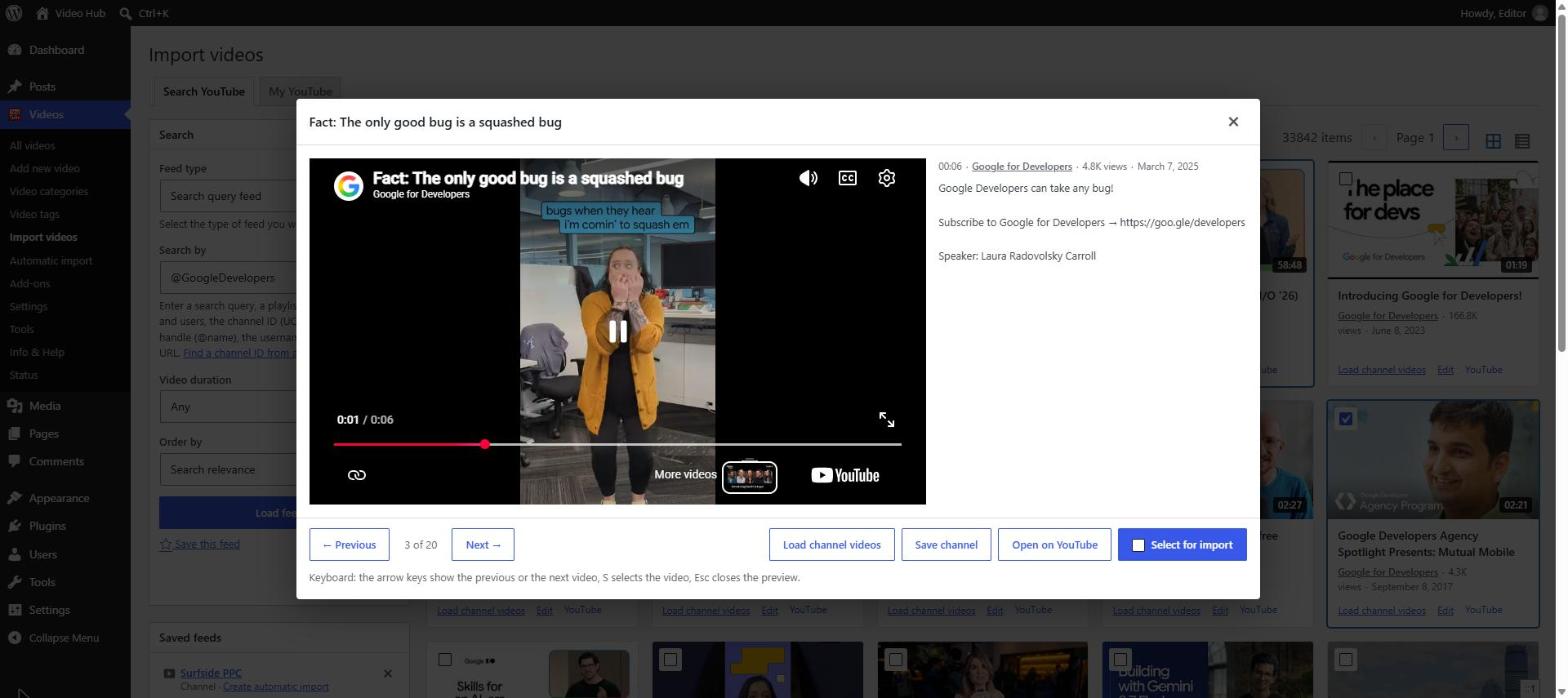
Each gallery has its own layout, so you can mix them across your site. Here they are with real videos.
Default

A large player on top and a scrolling list of thumbnails underneath, with the video that is playing highlighted. Visitors stay on one page and pick the next video from the list. Best for: channel and topic pages where one video leads.
Listy

Every video gets its own player, stacked one under another with its date and title above it. Nothing to click to start the next one: visitors scroll. Best for: episodes, lessons and news-style video feeds.
Simple

A big player above a grid of thumbnails with their durations, plus a “Load more” button for long playlists. Clicking a thumbnail plays it in the main player. Best for: courses, series and tutorial collections.
Grid

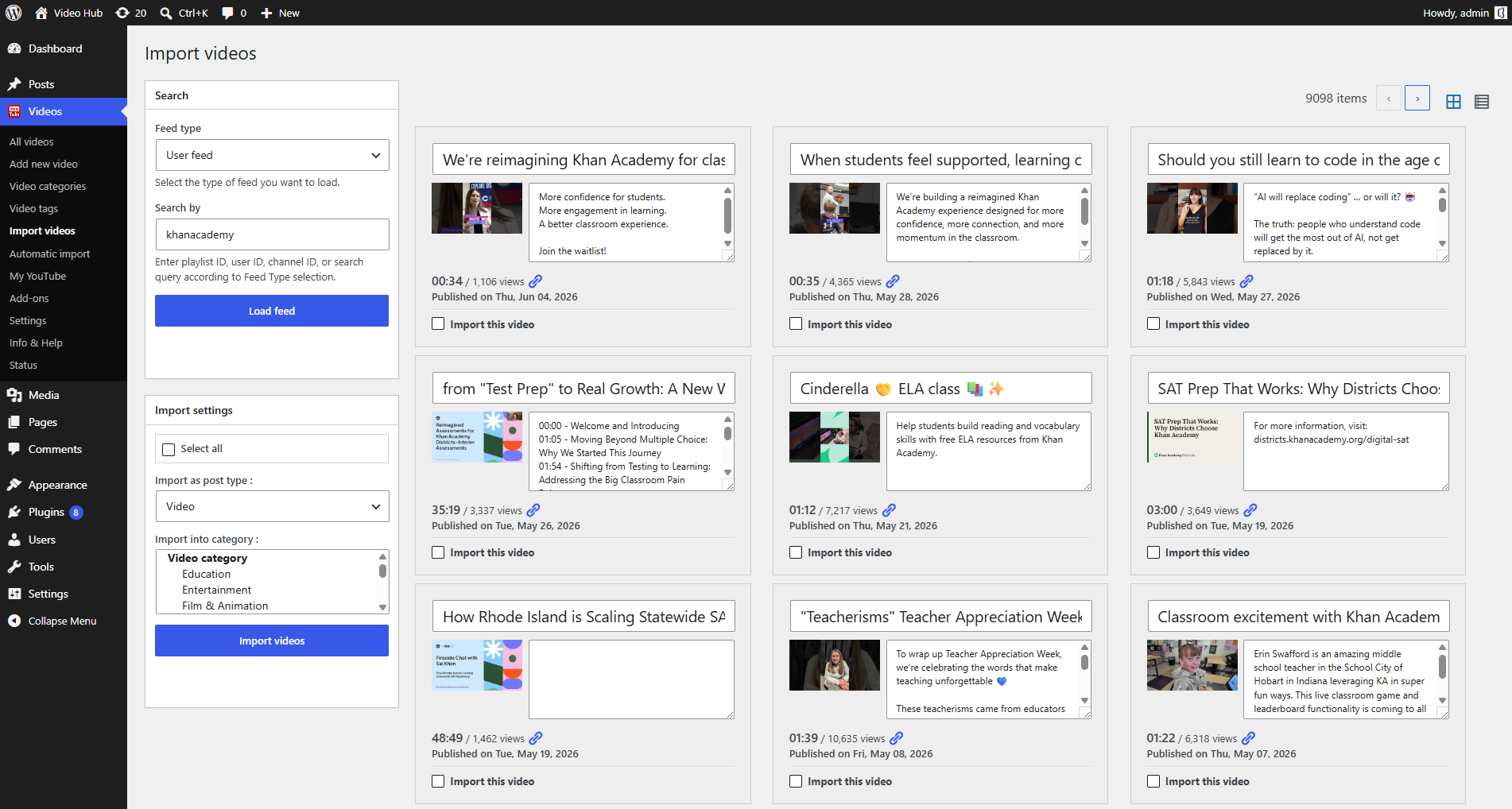
Video cards in a responsive grid, each with its title and a “View details” button that opens the video’s own page. It scans quickly even with hundreds of videos. Best for: large libraries, galleries and product videos.
Cinema

A dark layout that sets each player next to a large title, row after row. It is the most dramatic of the six and works well full width. Best for: showreels, films and portfolio pages.
Minimal

Small thumbnails with their durations next to the titles. It is the lightest way to list videos and fits in narrow columns and sidebars. Best for: pages where the videos support the text.
See all six side by side on the themes page, or try them on the live demo.
How to choose the right layout
- One video should lead (a launch, a featured episode, a homepage): Default or Simple.
- Visitors should scroll and watch (episodes, news): Listy or Cinema.
- Visitors should browse and click through to each video’s page (large libraries): Grid.
- Videos support the text (sidebars, articles, narrow columns): Minimal.
Pagination, load more and media modes
Every layout shares the same options, set per gallery:
- How many and in what order: all videos or a set number, newest first, oldest first, or by title.
- Pagination or “Load more”: split long playlists into pages, or load the next videos in place with an AJAX button whose label you write.
- Player or image: embed a player for each item, show the featured image with the player as a fallback, or show images only for the lightest page.
- Post text alongside: show each post’s content next to its video, so a playlist can double as a page of show notes.
Where the videos come from
A gallery pulls its videos from one of two sources:
- Hand-picked videos, in the order you choose: ideal for a “best of” page or a short series.
- A video category: every video in the category, sorted the way you set. Add a video to the category and it joins the gallery.
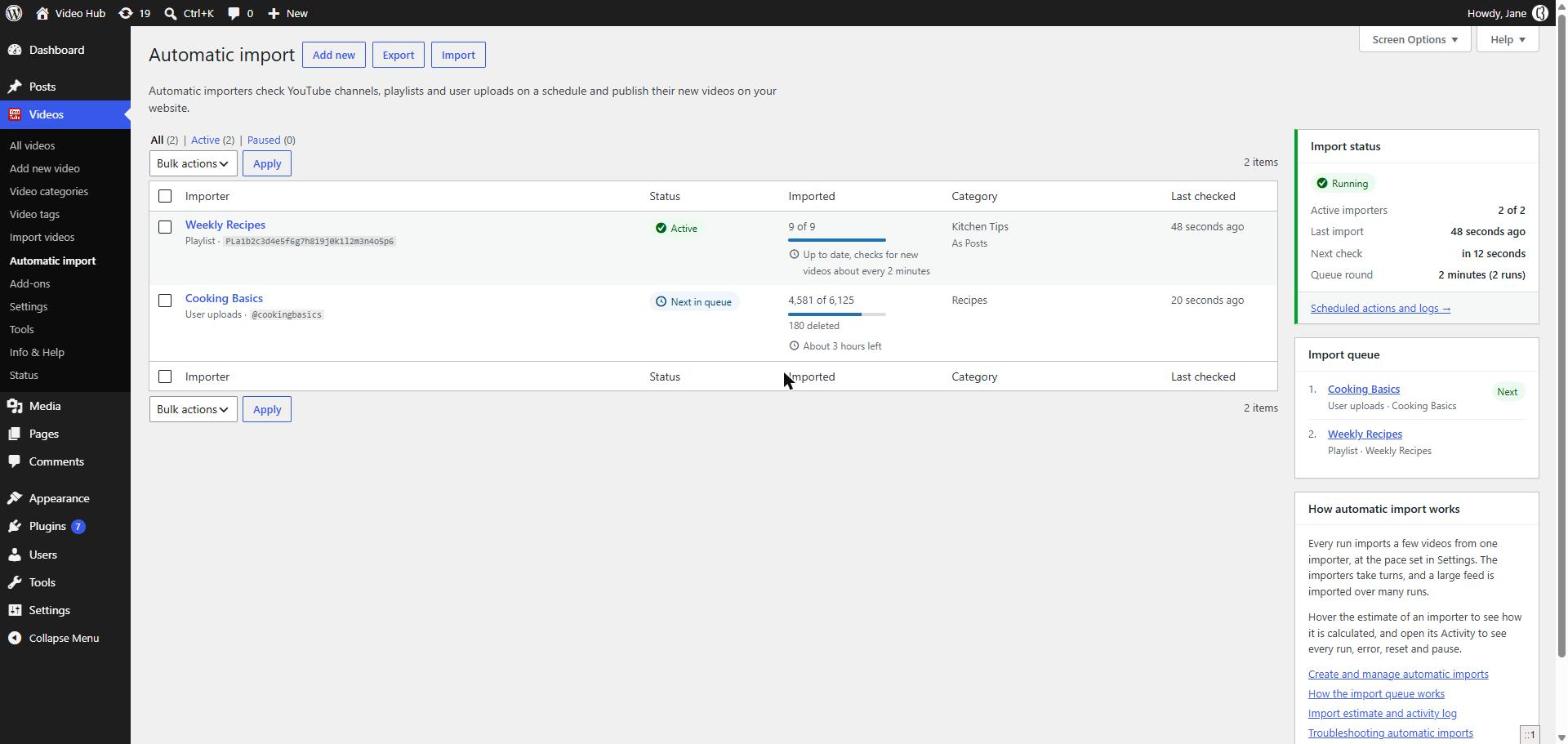
The category source is what makes a gallery self-updating. Point an automatic import at a YouTube playlist or channel, import it into its own video category, and the gallery grows with every new upload. The full walkthrough is in how to sync a YouTube playlist with WordPress.
Add a gallery with a block, Elementor or a shortcode
In the block editor, add the Video Hub Playlist block, choose the source, the layout and the options in the sidebar, and the editor shows a preview. Elementor users get a Video Hub widget, and the classic editor has a visual shortcode builder. The shortcode works anywhere shortcodes do:
[cbc_playlist category="12" theme="grid" videos_num="12" paginate="1" ajax="1" load_more_text="More videos"]For archive-style pages there is also the Video Archive block, a grid or list with a muted preview on hover, and the Latest Videos and Videos by Taxonomy widgets for sidebars.
Shorts and widescreen videos in one gallery
Video Hub detects each video’s proportions when it imports it: 16:9, 4:3, square or vertical. Since version 2.3, playlists play every video with its own aspect ratio, so a YouTube Short plays vertical and a widescreen video plays wide, in the same gallery, without black bars. If you prefer to keep Shorts out, automatic imports can skip them. More in the Shorts and vertical videos guide.
Fast and privacy-friendly
Galleries are responsive out of the box, and pagination or “Load more” means a long playlist never puts hundreds of players on one screen. The image-only mode is the lightest option of all. Thumbnails can be imported on demand, and the player can use YouTube’s privacy-enhanced youtube-nocookie.com domain. Player options are covered in the embed options guide.
Galleries that are good for SEO
Because every gallery is built from imported posts rather than raw embeds, each video also has an indexable page of its own, with a title, text and a place in your sitemap. The gallery gives visitors a clean way to browse; the pages behind it do the search work. Read why a video custom post type beats embeds and our guide to video SEO in WordPress.
YouTube playlist gallery FAQ
Can I use a different layout on each page?
Yes. The layout is a setting of each playlist, so a course page can use Simple while the homepage shows a Grid. You can switch layouts at any time without touching the videos.
Can the gallery update itself when I add videos on YouTube?
Yes. Create an automatic import for the YouTube playlist or channel, import it into a video category, and set the gallery to show that category. New videos appear in the gallery as soon as they are imported.
Do I need Elementor or another page builder?
No. Galleries work with the block editor out of the box. Video Hub also has an Elementor widget and a [cbc_playlist] shortcode if you use Elementor or the classic editor.
How many videos can one gallery show?
As many as you like. Show every video in the category or set a number, then split the list into pages or add a “Load more” button so long playlists stay light.
Can YouTube Shorts and regular videos share one gallery?
Yes. Video Hub detects each video’s proportions when it imports it, and playlists play every video with its own aspect ratio, so Shorts play vertical next to widescreen videos.
Is there a live demo?
Yes. The Video Hub demo site shows the layouts with real YouTube videos.