Video SEO in WordPress comes down to one idea: Google can only show your site for a video if the video has a page on your site that it can index. A YouTube embed dropped into a long article sends most of the value back to YouTube. A dedicated page per video, with real text, a thumbnail and structured data, gives your domain a chance to rank. This guide covers how Google handles video today, which pieces you need, and how to get them in WordPress.
In short
For video SEO in WordPress, give each video its own page where the video is the main content, with a descriptive title, your own text and a thumbnail. Add VideoObject schema from one source only (Video Hub’s microdata option or your SEO plugin), keep pages fast, and check the Video pages report in Search Console. Importing YouTube videos as posts gives you these pages without building each one by hand.
How Google finds and shows videos
Google indexes a video when three things are true: the page itself is indexed, Google can find the video on it (a standard YouTube embed is fine), and the page is a watch page, meaning the video is the main content rather than something next to it. Google limits video results to such pages, so a blog post with a clip halfway down usually ranks as a text page, not as a video.
After that, extra signals help: a thumbnail Google can fetch, structured data with the title, description, upload date and duration, and a sitemap that lists the video. Google’s own video SEO best practices are the reference.
Why embeds alone rarely win video results
- A page with several embeds has no single main video, so none of them qualifies.
- Feed and gallery widgets that build players with JavaScript show videos to visitors, but give Google little text to work with.
- The description, the comments and the watch history all live on youtube.com, which already has a page for that video.
See how feed widgets, gallery plugins and importers differ in our comparison of YouTube plugins for WordPress.
Imported posts: a watch page for every video
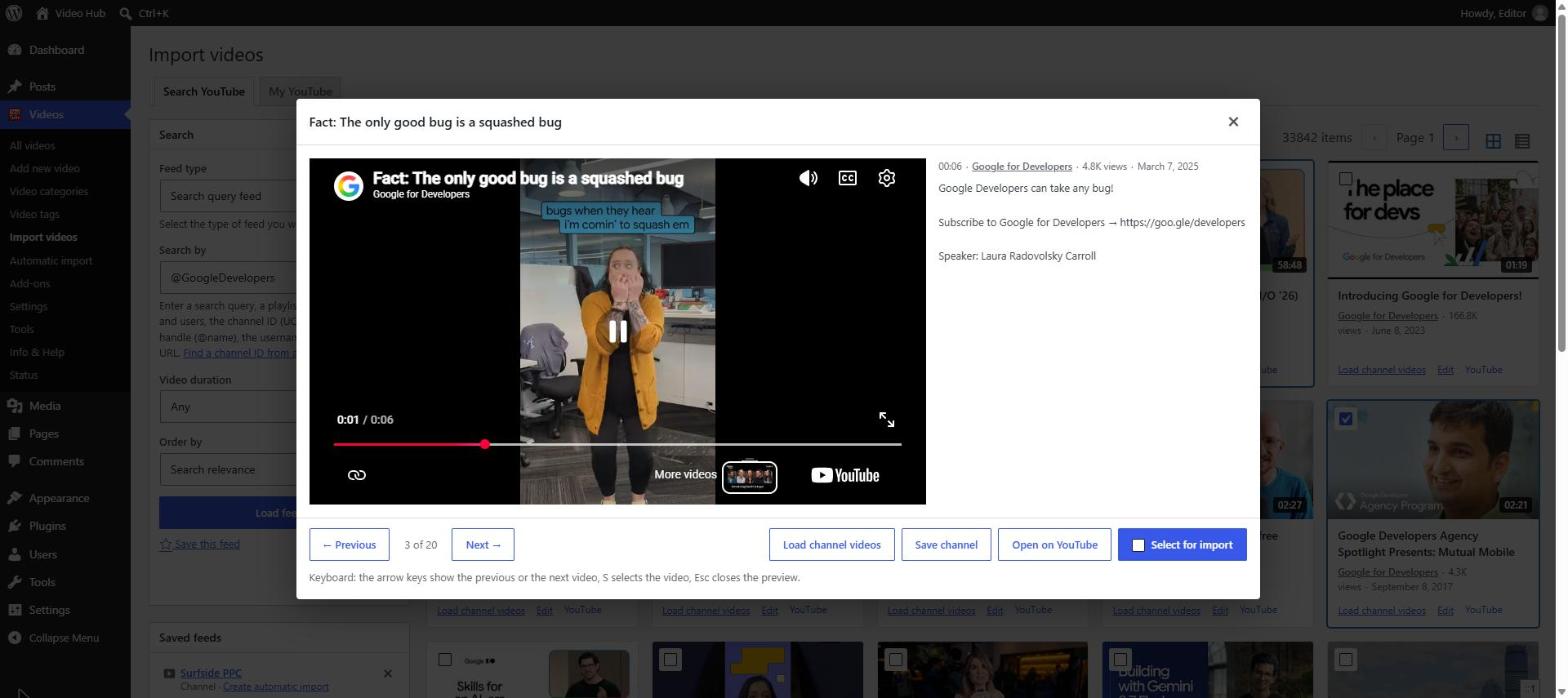
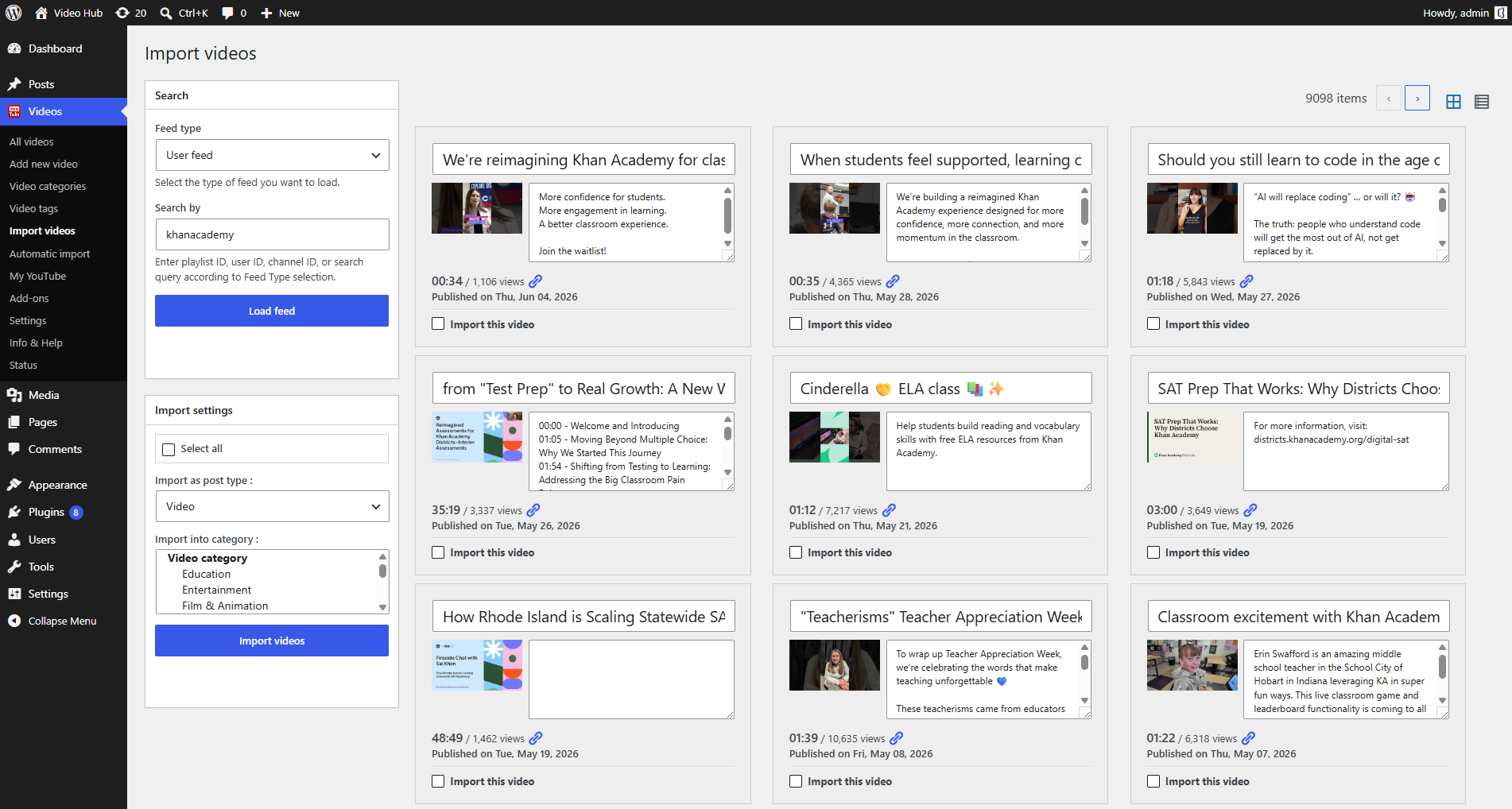
When you import a video with Video Hub, it becomes a post with its own URL and the YouTube player on the page. The building blocks of video SEO are filled in for you:
- the YouTube title as the post title, and a clean permalink
- the description as post content (or excerpt), which is readable text rather than text inside an iframe
- the largest available thumbnail, up to 1280×720, as the featured image
- optionally the YouTube publish date as the post date, so dates match
- categories and tags that group videos into topic archives
- a place in your XML sitemap and, if you want, your homepage and main RSS feed
Store videos in their own video custom post type or as regular posts; both produce indexable pages.
Video schema (VideoObject) in WordPress
Structured data tells search engines in plain terms that a page contains a video, what it is called, when it was published and what its thumbnail is. Google requires name, thumbnailUrl and uploadDate, and recommends description, duration and embedUrl or contentUrl.
Video Hub can add this markup itself. In Videos → Settings → Post options, check Add video details for search engines (microdata). Every video page then carries schema.org VideoObject microdata with the title, a description, the thumbnail, the embed URL, the upload date and the duration, in the form below:
<span itemprop="video" itemscope itemtype="http://schema.org/VideoObject">
  <meta itemprop="name" content="How to prune tomato plants">
  <meta itemprop="description" content="In this video we show…">
  <meta itemprop="thumbnailURL" content="https://example.com/wp-content/uploads/…jpg">
  <meta itemprop="embedURL" content="http://www.youtube-nocookie.com/v/VIDEO_ID">
  <meta itemprop="uploadDate" content="2026-10-14T09:00:00+00:00">
  <meta itemprop="duration" content="PT8M42S">
</span>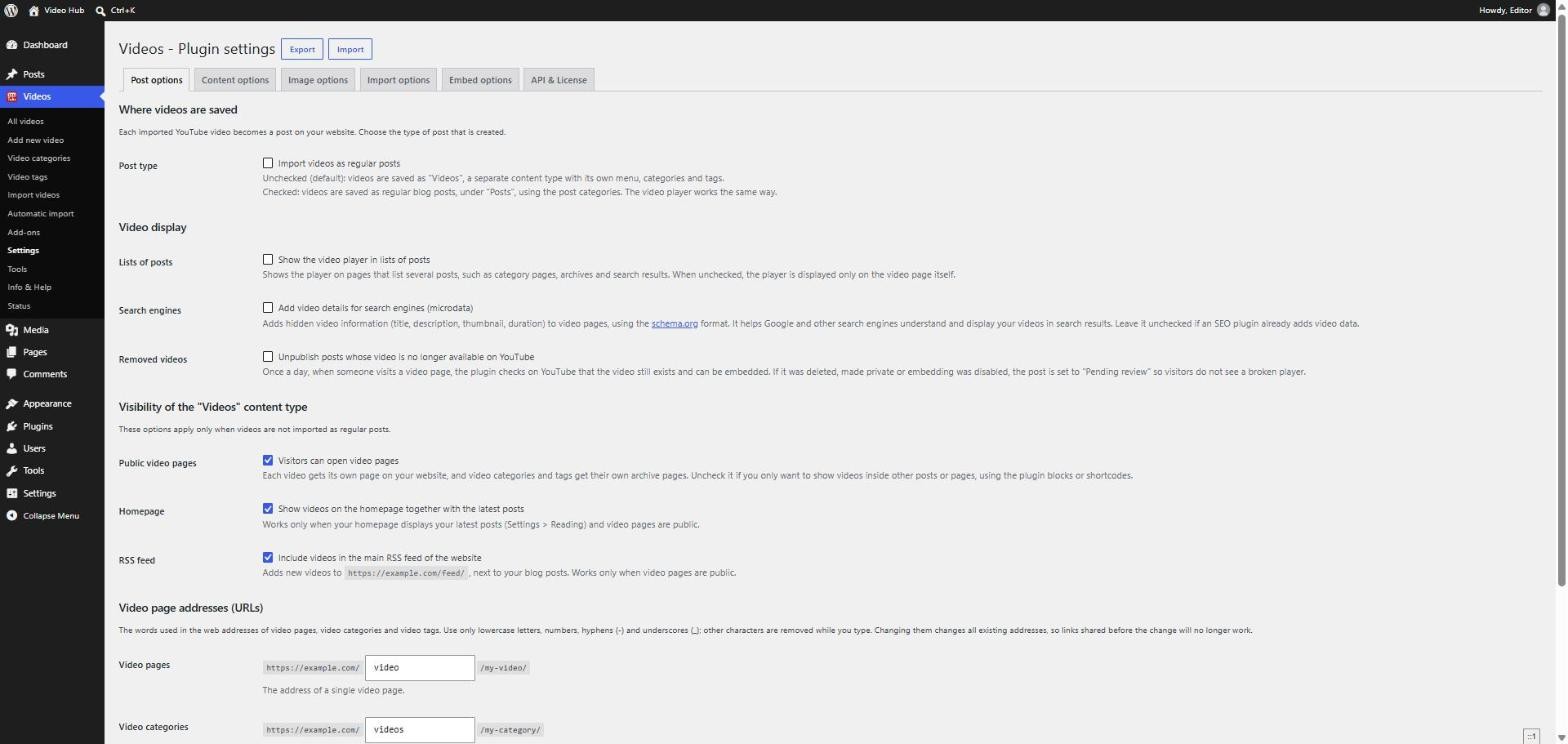
Use one source of video schema per page. If Rank Math, Yoast or another SEO plugin already adds video schema to your posts, leave Video Hub’s microdata off. After publishing, test a page with Google’s Rich Results Test.
Video sitemaps: do you need one?
A video sitemap lists each video with its thumbnail, title and description. It is not required: Google finds most videos by crawling pages that carry structured data. It is useful for large libraries and new sites, because it hands Google the full list at once.
WordPress core and every SEO plugin already list your video posts in the regular XML sitemap. Dedicated video sitemaps are part of Yoast Video SEO and of the paid version of Rank Math.
Video Hub and Yoast Video SEO
If you use Yoast Video SEO, Video Hub works with it out of the box. When the plugin is active and the video post type is enabled in its video sitemap settings, Video Hub fills in Yoast’s video details for every video it imports: title, description, thumbnail, duration, publish date, view count and category. It also pre-fills the Yoast SEO title and meta description from the YouTube title and description, so new video pages are never left without them. Other plugin integrations are listed in the third-party compatibility guide.
On-page checklist for every video post
Importing gives you the page. These habits make it worth ranking:
- Write for the search, not for YouTube. A title like “How to prune tomato plants” beats “Ep. 42 🍅 GARDEN VLOG”.
- Add text of your own. A short introduction, key points or timestamps make the page more than a copy of YouTube. Import as drafts or pending review so an editor adds them before publishing.
- Cut the boilerplate. Social links and sponsor blocks repeat on every description. Cut the description at a marker such as “Follow us on”.
- Link related videos and articles, and group videos into categories that read like topics.
- Keep pages fast. The Post Video block loads the YouTube player only when someone clicks play, and thumbnails can be imported on demand.
- Keep data current. The removed videos check unpublishes posts whose video was deleted or made private, and the Update videos tool refreshes durations, views and thumbnails.
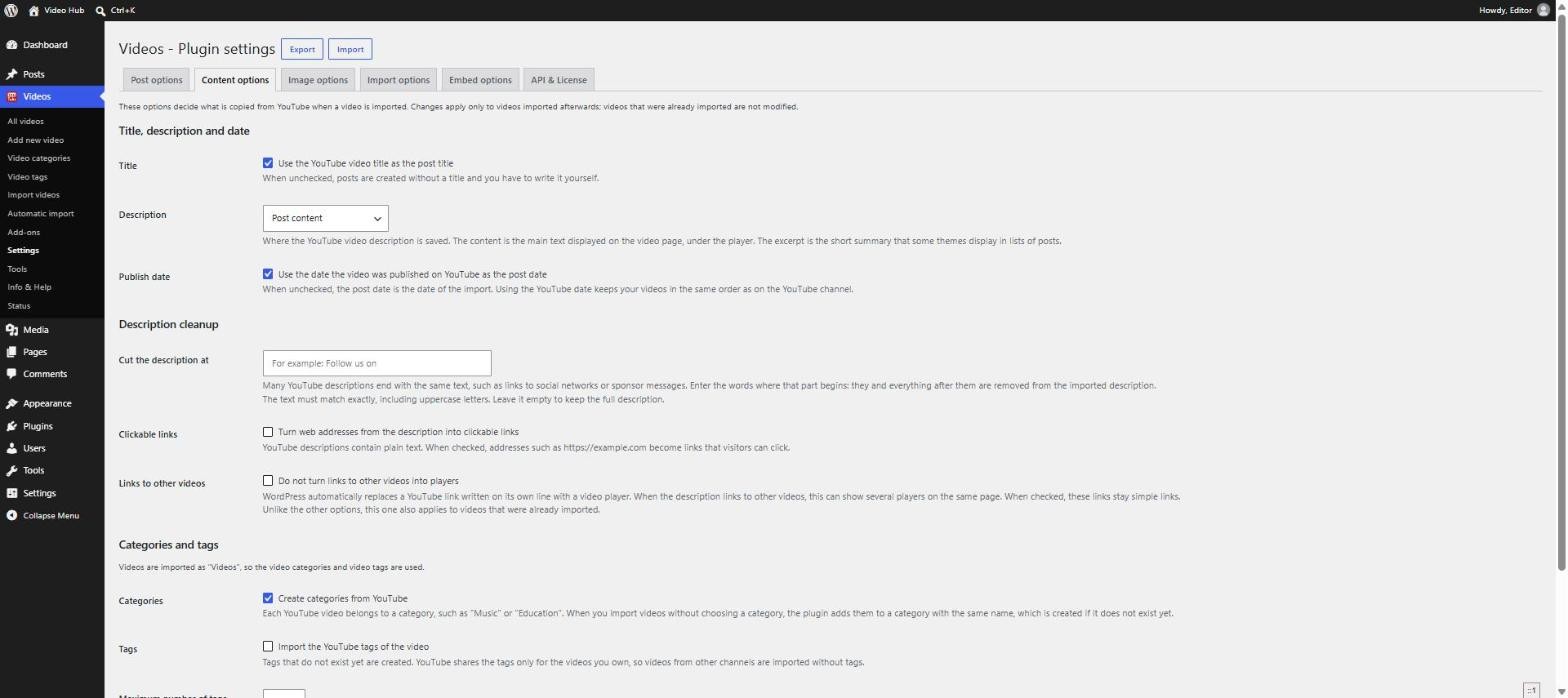
All content settings are explained in the content import options guide.
Measure the results in Search Console
Google Search Console has a Video pages report under Indexing. It lists the pages where Google found a video and, for the others, the reason it didn’t index the video, such as the video not being the main content of the page. In the Performance report, set the search type to Video to see clicks and impressions from video results. Check both a few weeks after you publish a batch of video pages.
Video SEO in WordPress: FAQ
Do I need a video SEO plugin for WordPress?
Not necessarily. What matters most is a page per video with real text, a clear title and a thumbnail. Video schema can come from Video Hub’s microdata option or from an SEO plugin. A video sitemap is helpful for large libraries, and in Yoast and Rank Math it is part of their paid versions.
Does embedding YouTube videos help SEO?
An embed can make a page more useful, but a page with a video tucked inside an article rarely earns a video result, and the video itself ranks for YouTube. To give a video the chance to rank on your own domain, give it a page where the video is the main content.
Will Google show my page or YouTube for the same video?
Google picks one, and for many searches it picks YouTube. Your page competes on what YouTube doesn’t have: your own text, context, internal links and the topic authority of your site. Pages with more than a copied description tend to do better.
Should I turn on Video Hub’s microdata if I use Rank Math or Yoast?
Only if your SEO plugin doesn’t already add video schema to those pages. Use one source of video markup per page, so Google doesn’t get two different descriptions of the same video.
Is reusing the YouTube description duplicate content?
It isn’t a penalty, but it is the same text that already exists on YouTube, so it gives Google little reason to prefer your page. Cut the boilerplate, import as drafts and add a short introduction or summary of your own.