
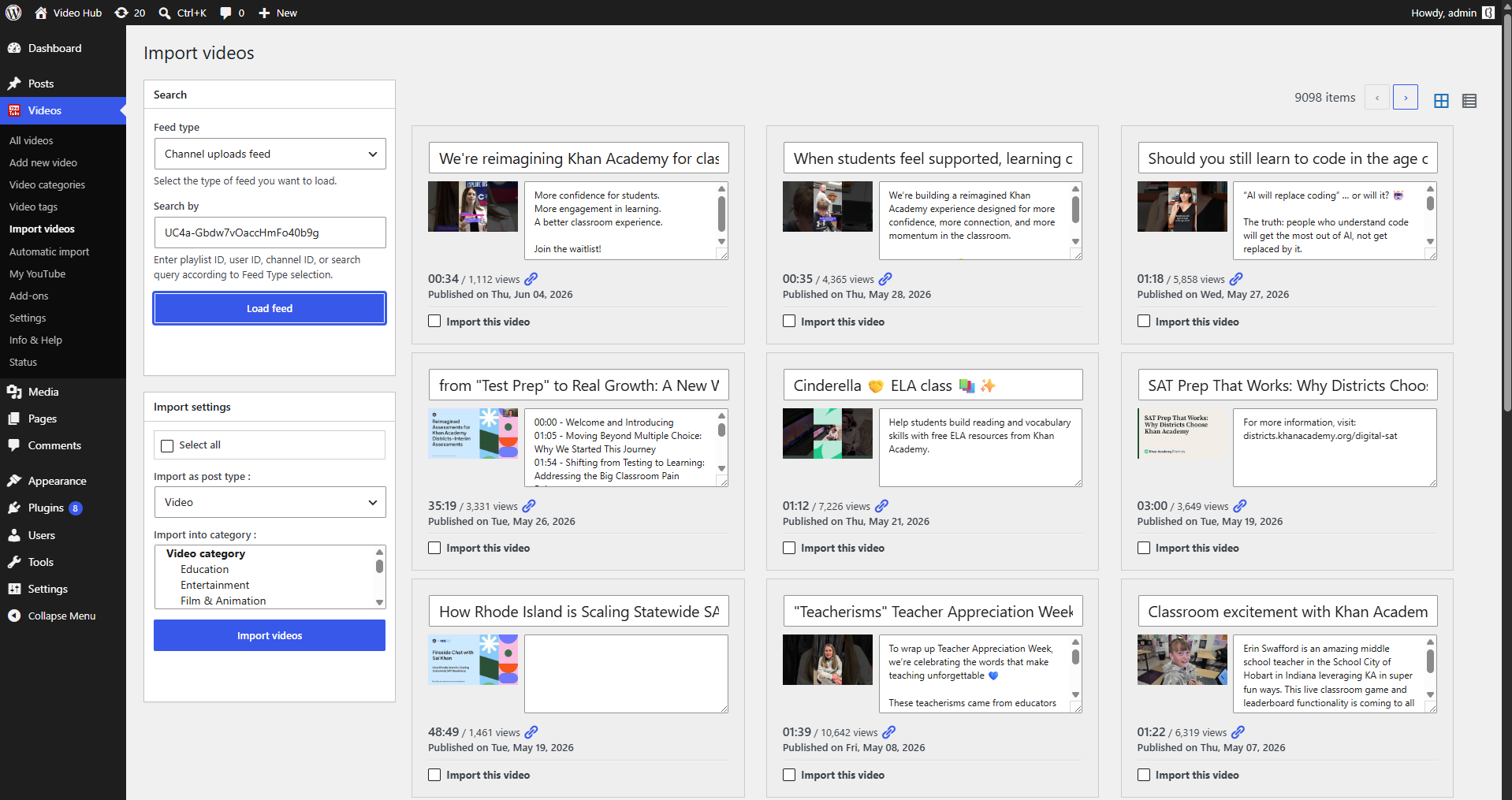
If you want to import a YouTube channel into WordPress — and not babysit it forever — the trick is automation. Pasting embed links one by one doesn’t scale, and it leaves every view and every bit of SEO value on YouTube. A proper importer pulls the channel in once and then keeps it in sync on its own.
Embeds vs. importing a channel
An embed is a window to YouTube; an import is content on your domain. When you import a channel with Video Hub, each upload becomes a real WordPress post — indexable, categorized and styled by your theme — instead of a throwaway iframe.
How automatic channel import works
You point the importer at a channel’s uploads feed (you’ll need the channel’s ID), choose how many videos to pull and how often, and let scheduled, cron-based imports do the rest. New uploads appear on your site automatically, with titles, descriptions, thumbnails, categories and publish dates mapped for you. Because imports run off-request, syncing never slows a visitor’s page load. See all the import options.
Bulk-import the back catalog, too
Starting from an established channel? Bulk-import the existing videos — preview the results and select exactly what you want — then let automation handle everything new from there.
Every detail mapped, not just the video
A channel import is only useful if the data comes with it. Video Hub maps each upload’s title, description, publish date and thumbnail (set as the featured image) into the WordPress post, and can assign categories and tags so videos land in the right part of your site. Choose to import as regular posts — flowing into your blog, categories and homepage — or as a dedicated video custom post type with its own archive and single pages.
Why an owned channel mirror is better for SEO
When uploads become real posts, each one is a crawlable URL carrying schema.org video markup and feeding your XML sitemap and RSS — so search engines can index and rank every video on your domain. Instead of donating views and SEO value to YouTube, you keep visitors, rankings and ad revenue on a site you control, with internal links tying the library together. See video SEO in WordPress.
Set it up to stay light and tidy
Because imports run off-request via cron, even a large channel won’t slow your pages. Images can be fetched on demand, the importer works with the official AMP plugin, and a maintenance routine can retire videos that have been deleted or made non-embeddable — so your library stays current without manual cleanup.
For the exact setup steps, see the documentation.
Import your channel into WordPress
Turn a channel into content you own — automatically. 30-day money-back guarantee.