
YouTube video importer for WordPress
The YouTube video importer that turns videos into content you own
Video Hub is a YouTube video importer for WordPress: it pulls videos from a channel, playlist, user or search and publishes them as real, SEO-ready posts and themed playlists — then keeps them in sync automatically. Not a JavaScript embed widget — actual content on your domain.
How it works
Import YouTube videos to WordPress in 3 steps
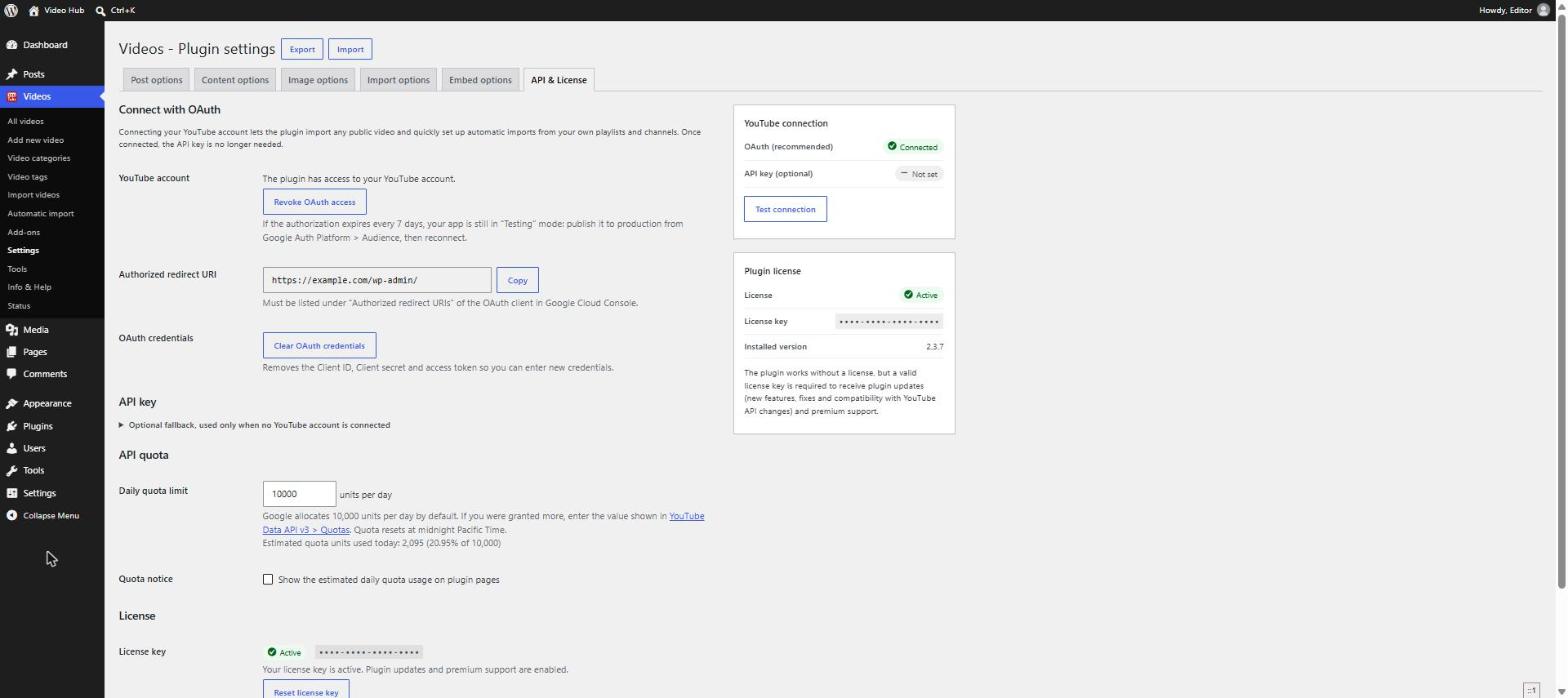
- Connect YouTubeConnect your Google account over OAuth — the plugin walks you through it and tests the connection. Get your Client ID and Secret
- Import as real postsSearch YouTube or load a channel or playlist, preview the videos and pick what you want. Each one becomes a real WordPress post — published, or as a draft for review.
- Sync automaticallyTurn the channel or playlist into an automatic import. It runs in the background, so new uploads keep appearing on your site on their own.
Import vs embed
The WordPress YouTube plugin that imports, not just embeds
Most “YouTube” plugins embed or display video — the SEO value and the next click still belong to YouTube. A true YouTube video importer brings the video into WordPress as a post you own, control and rank for.
Embed & feed plugins
Video shown on your site
- A player or gallery that loads from YouTube
- No page per video to optimize, interlink or add your own text to
- New uploads only appear inside the widget
- The SEO value and the next click stay with YouTube
A YouTube video importer
Video becomes content you own
- Imports from any source — a channel, playlist, user or search — Shorts included
- Keeps importing automatically, so new uploads appear on your site on their own
- Creates real, indexable posts — not throwaway embeds
- Maps titles, descriptions, images, categories, tags and dates for you
- Displays the result beautifully, and stays fast
Video Hub does all five — here’s how. Or see how it compares to embed plugins.
Sources
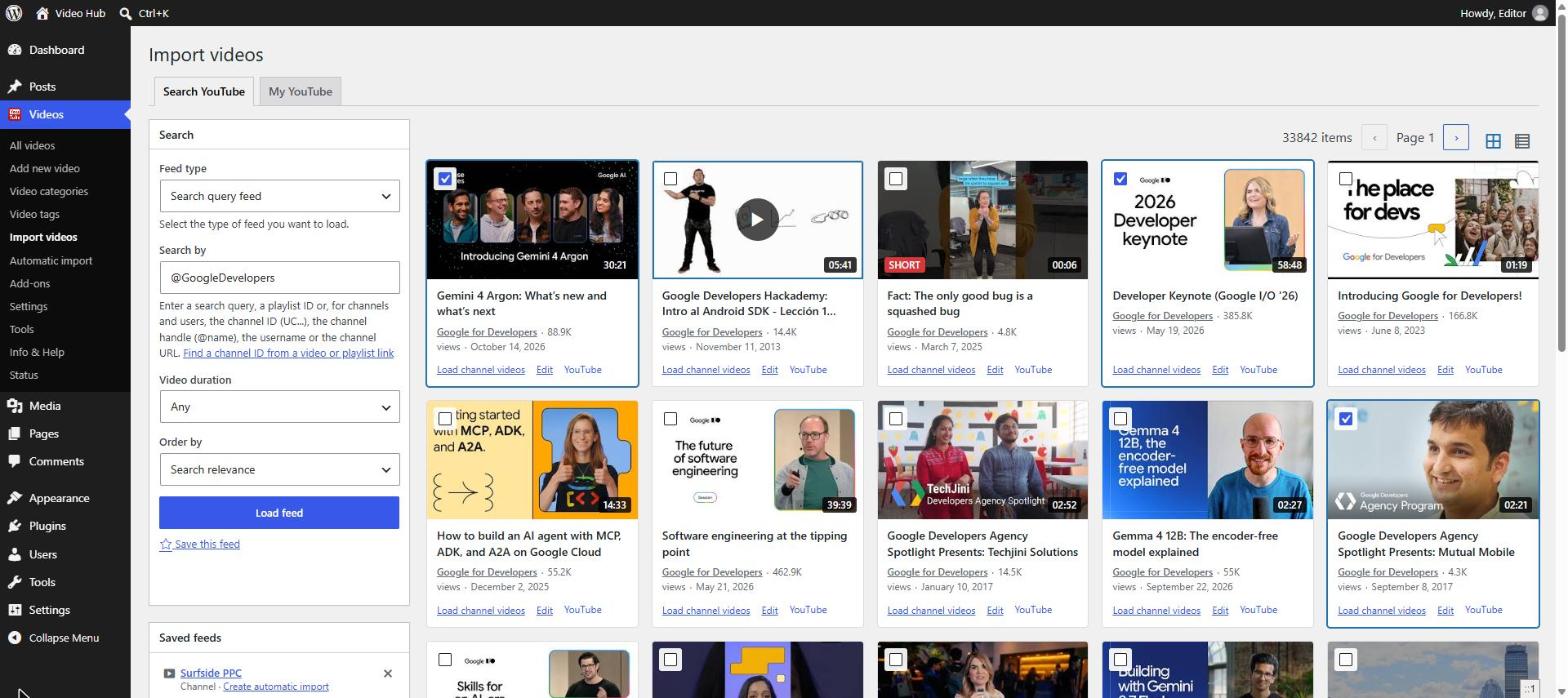
Import from any YouTube source
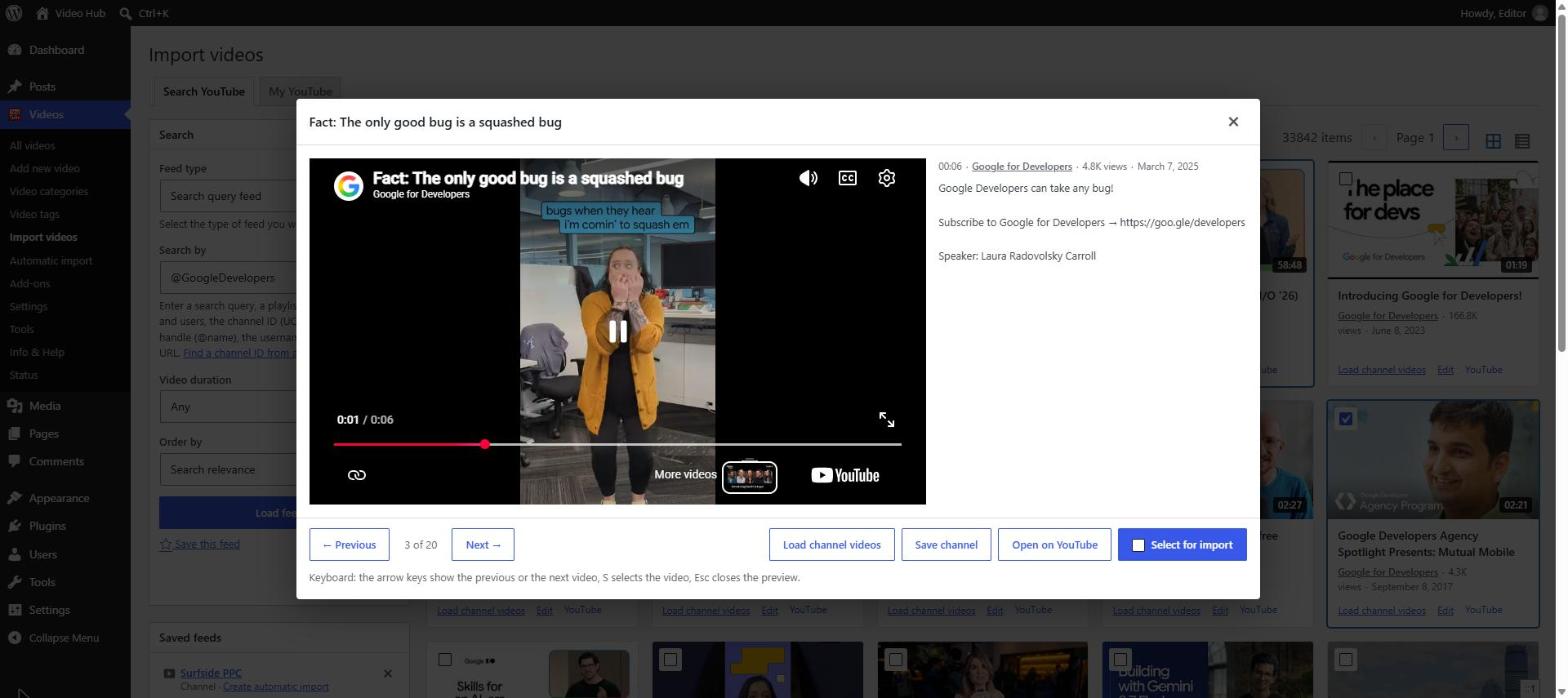
Search YouTube or load a channel’s uploads, a user or any playlist, then filter by duration and ordering. Results show as cards you can preview before you decide. See every import option.
- Your selection is kept across pages and feeds — pick from several sources and import them together
- Videos you already imported are marked, so nothing is published twice
- Save the channels, playlists and searches you check often and reload them in one click
- Bulk-import a whole channel or playlist, or add a single video on its own
Automatic imports
Automatic, hands-off syncing
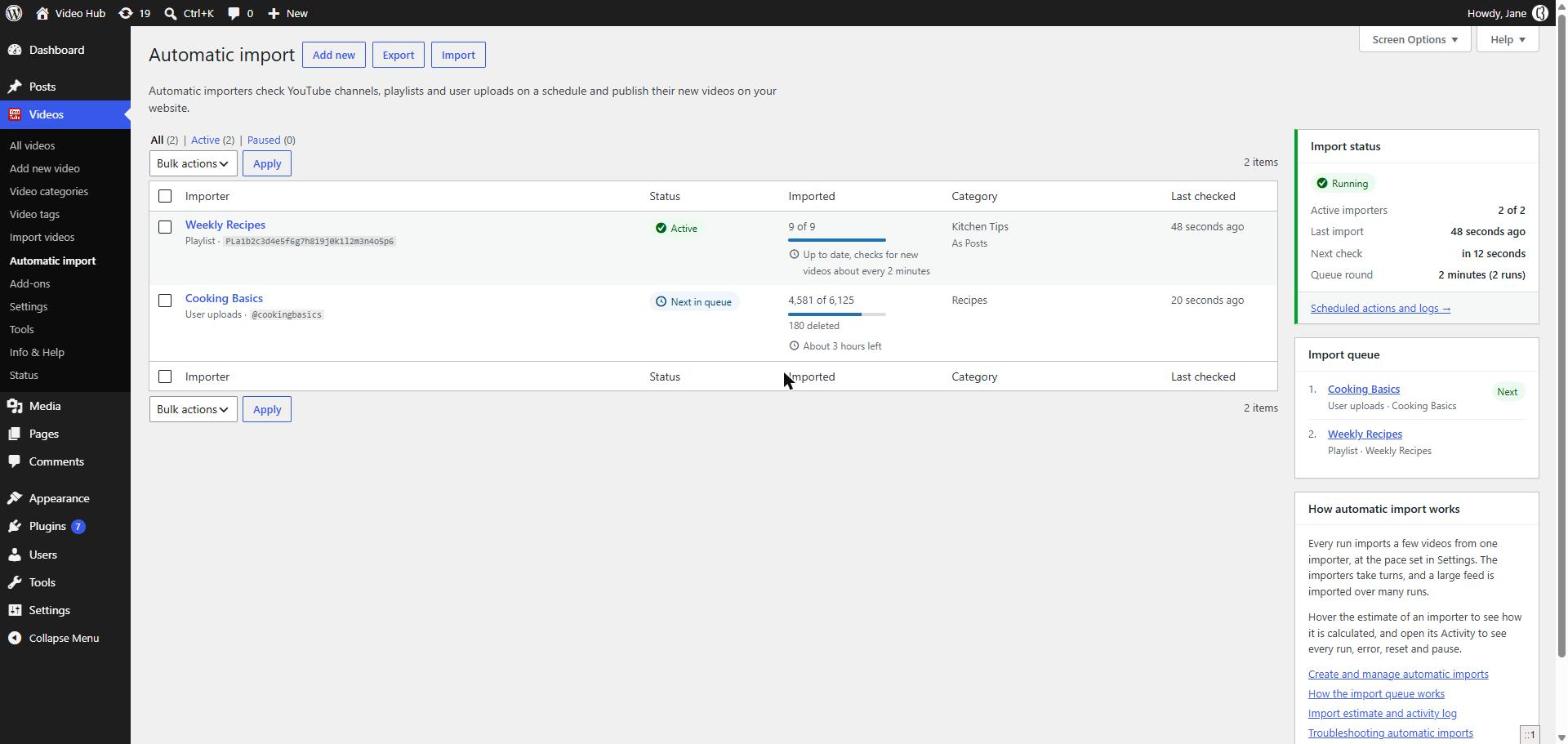
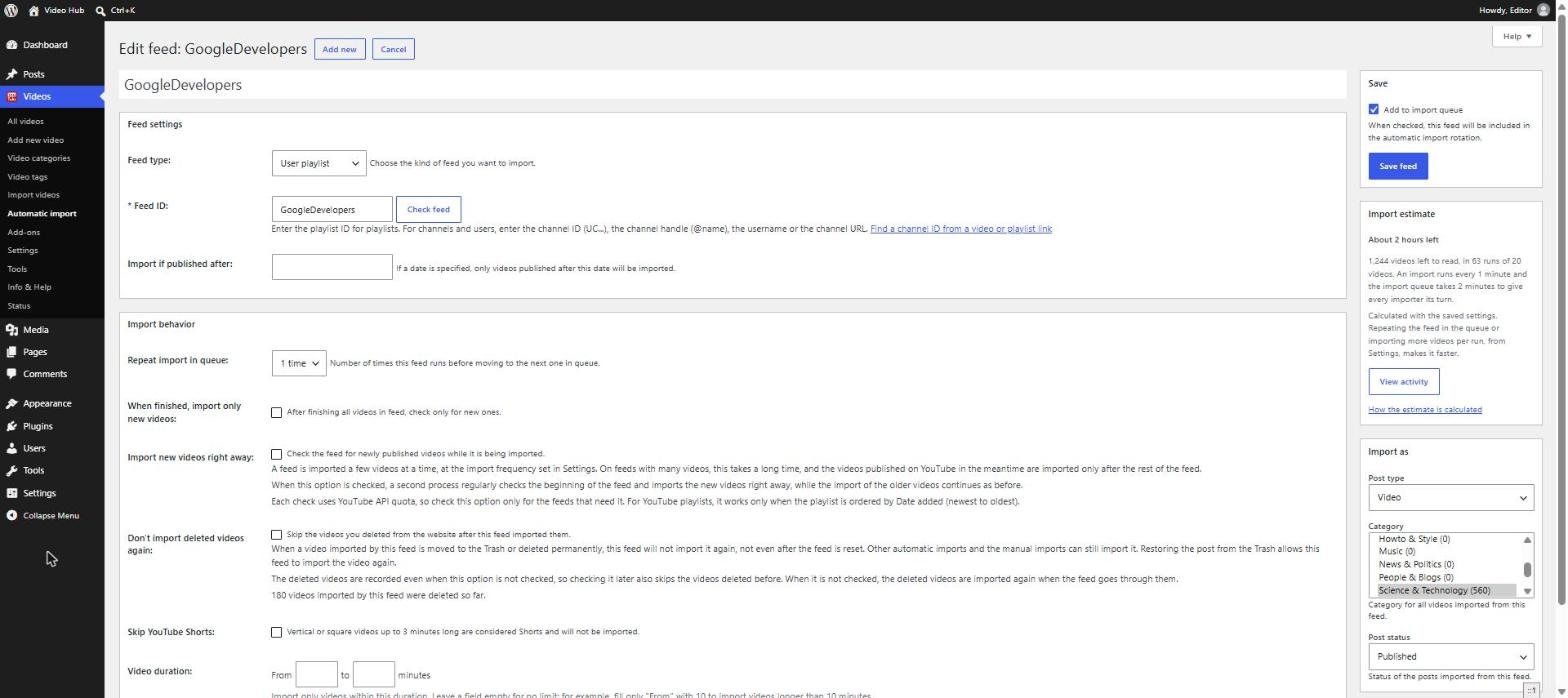
Automatic imports follow channels, playlists and user uploads in the background, so syncing never slows down a visitor’s page load. Publish on YouTube; it shows up on your site on its own.
- A back catalog of thousands of videos imports a page at a time
- “Import new videos right away” picks up fresh uploads even while the back catalog is still importing
- Each import shows how long the rest will take
- An activity log records every run — what was imported, skipped or failed
YouTube Shorts
YouTube Shorts, the right way up
Video Hub detects the proportions of every video it imports, so Shorts and vertical videos are embedded vertical — not squeezed into a 16:9 box with black bars.
- Vertical on their own pages and inside playlists
- Skip Shorts in an automatic import when a section is for long-form videos
- Hide Shorts while you choose videos to import
Editorial review
An editorial step when you need one
Import as published, draft or pending review — per import. Publishers collecting videos from many channels can review each one, add their own context and publish when it’s ready.
- Choose the post status, category and author for each import
- Edit titles and descriptions before you import
- Add an introduction, notes and links, then publish
Video SEO
Real content you own — built for search
Every imported video becomes a page you can optimize, interlink and add your own text to. That’s the difference between renting attention on YouTube and owning an indexable video library.
A page per video
A regular post or a dedicated “video” custom post type, with its own slug on your domain and archive pages.
Details mapped for you
Title, description, featured image, categories, tags and the publish date come in with every import.
Structured data
schema.org microdata on video pages, and compatibility with Yoast Video SEO.
In your listings & feed
Optionally include videos in your homepage listings and your main RSS feed, next to your articles.
Light on page speed
Imports run in the background, and the Post Video block loads the YouTube player only when a visitor clicks play.
Content you control
Edit or unpublish any post. A daily check unpublishes one only when YouTube confirms the video is gone or can’t be embedded.
Want more search traffic from your videos? Read our video SEO guide for WordPress.
Display
Show it beautifully
Display imported videos in six responsive playlist themes — Grid, Cinema, Listy and more — with pagination or a load-more button.
- Build a playlist from a category to mix videos from several channels
- Shorts and vertical videos keep their shape in every playlist
- Place it with Gutenberg blocks, Elementor widgets or shortcodes

Who it’s for
Who imports YouTube into WordPress?
Anyone whose videos — or whose audience’s favorite videos — should live on their own site. Find your use case.
- CreatorsPublish once on YouTube and let your site follow.
- PublishersA video section built from many channels, with an editorial step.
- Courses & tutorialsTurn hundreds of lessons into a library students can navigate.
- AgenciesStand up video sites for clients from one exported setup.
- BrandsHost your product videos on your own domain.
FAQ
Common questions
Does it import videos as real posts?
Yes — as regular posts or a dedicated video custom post type, not embeds. Each video gets its own page on your domain.
Can it import a whole channel or playlist at once?
Yes — bulk-import a channel or playlist, preview the results and pick what you want, or add a single video.
Does it keep importing new videos automatically?
Yes. Automatic imports follow channels, playlists and user uploads in the background, so new uploads appear on your site on their own. Searches are for discovery: run them on the Import videos page and import the results you choose.
Does it support YouTube Shorts?
Yes. Shorts and other vertical videos are detected and embedded vertical, on their own pages and inside playlists. You can also skip Shorts in automatic imports. Live streams are not supported.
Do I need a YouTube API key?
Connect with OAuth (recommended) — an API key is only an optional fallback — and the plugin shows a daily quota estimate so you stay within YouTube’s limits. See how to get a Client ID and Secret.
More answers in the FAQ.
Proven on CodeCanyon
Trusted by creators & publishers for years
★★★★★
“The plugin works exactly the way it is meant to work. It saved me a load of time from adding videos one by one from YouTube. I had a small requirement regarding custom post type and the author resolved it very quickly.”
Blitz101 · CodeCanyon customer
★★★★★
“Great plugin. Once set up properly, it does exactly what it advertises. As an Avada user, this is a real beauty of a plugin – something that I have always been waiting for. It imported my 200 YouTube videos without batting an eyelid, and has given me a new WordPress video site in a heartbeat. Fantastic!”
MrMasterKey · CodeCanyon customer
★★★★★
“WOW! Our YouTube video channel has risen to another level after being able to import large amount of content with only a few clicks! It is awesome! Thanks!”
EstudioE · CodeCanyon customer
These reviews are from Video Hub’s years on CodeCanyon (Envato). The plugin is no longer sold there — it’s now available exclusively through CodeFlavors.
Start importing YouTube into WordPress
Channels and playlists become content you own — automatically. Plans start from $49/year, with automatic updates, support and a 30-day money-back guarantee.