
Features · Video Hub 2.3
Everything you need to run YouTube on WordPress
Discover videos, pick the ones you want, review them as drafts, keep channels in sync automatically and publish everything as real WordPress content — Shorts included. It’s how you turn YouTube into a WordPress site you own.
Discover & import
Discover and pick the videos you want
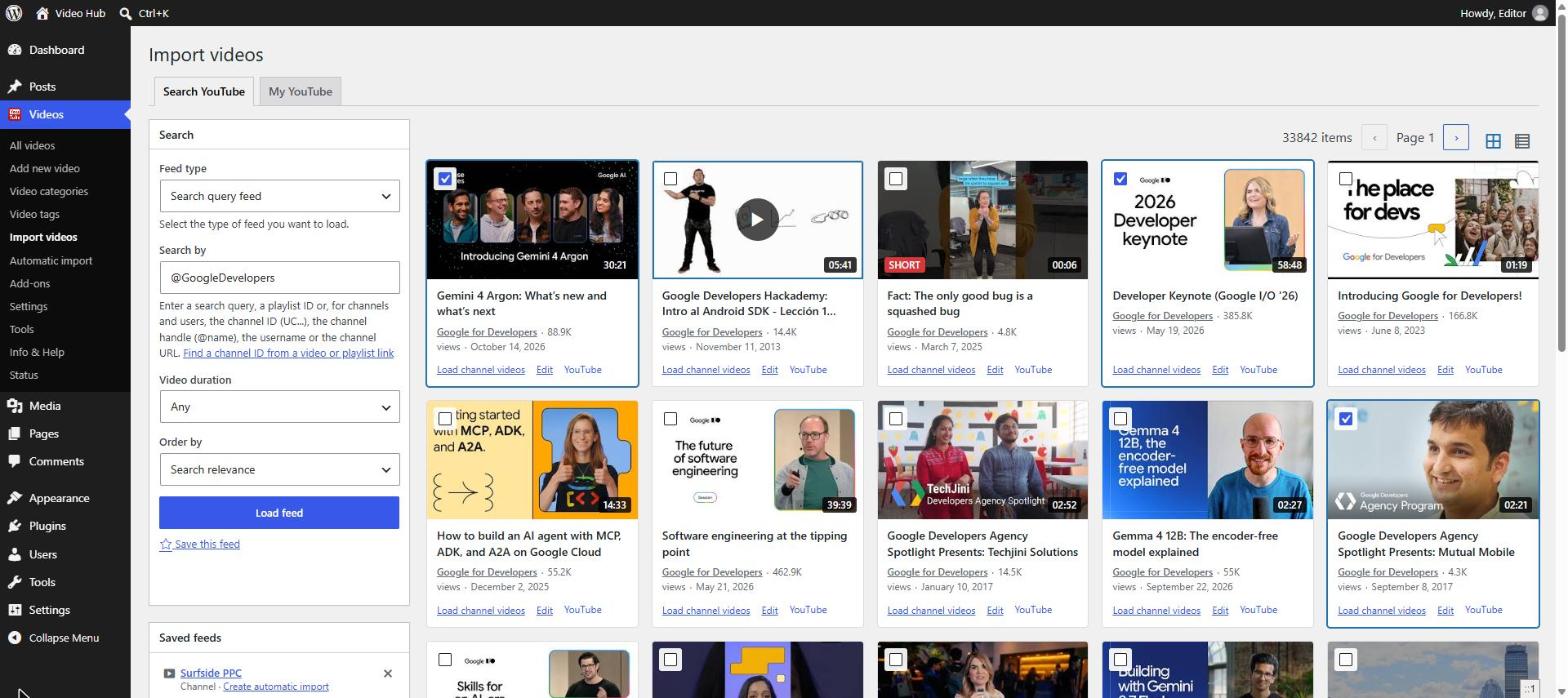
The Import videos page is a full YouTube video importer, built for choosing — not an embed widget. Search YouTube or load a channel, a user’s uploads or any playlist, then pick exactly what lands on your site.
- Four sources: a search query, a channel’s uploads, a user’s uploads or any playlist — filtered by duration and ordered by date, rating, relevance, title or views
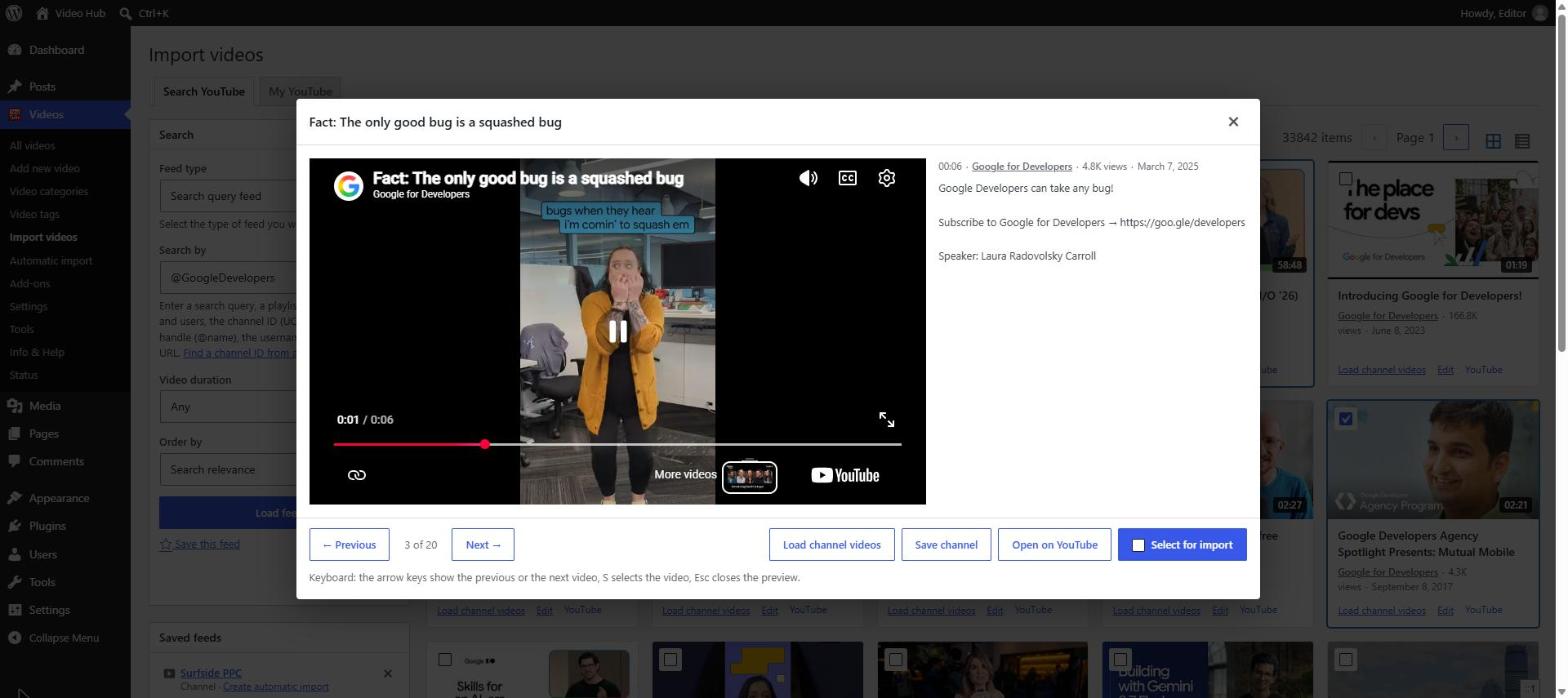
- Preview any video in a window before you import it, with its full description and keyboard shortcuts
- Your selection is kept across pages and feeds — mix videos from searches, playlists and channels in a single import, and edit titles and descriptions first
- Videos you already imported are marked and can be hidden; YouTube Shorts are labelled and can be hidden too
- Save channels, playlists and searches you come back to, and turn any loaded channel or playlist into an automatic import in one click
- Connected through OAuth, the My YouTube tab lists your own playlists — private and unlisted ones included
Automatic import
Set it and forget it
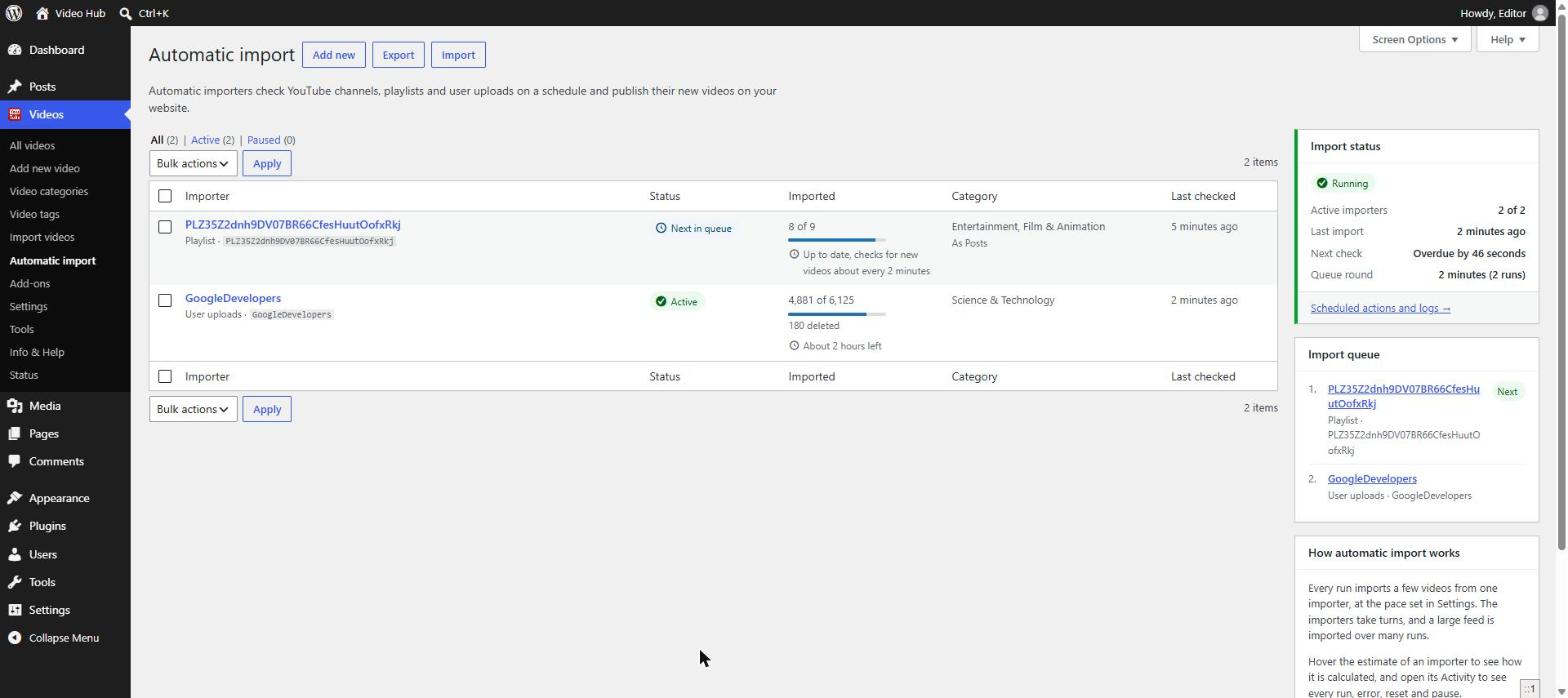
Automatic imports keep channels, playlists and user uploads in sync in the background, so your site stays fresh without you touching the admin. See how it works on importing a YouTube channel into WordPress.
- Background imports through Action Scheduler — reliable even on low-traffic sites, never on a visitor’s page load
- Big back catalogs import a page at a time, while “Import new videos right away” picks up fresh uploads as soon as they are published
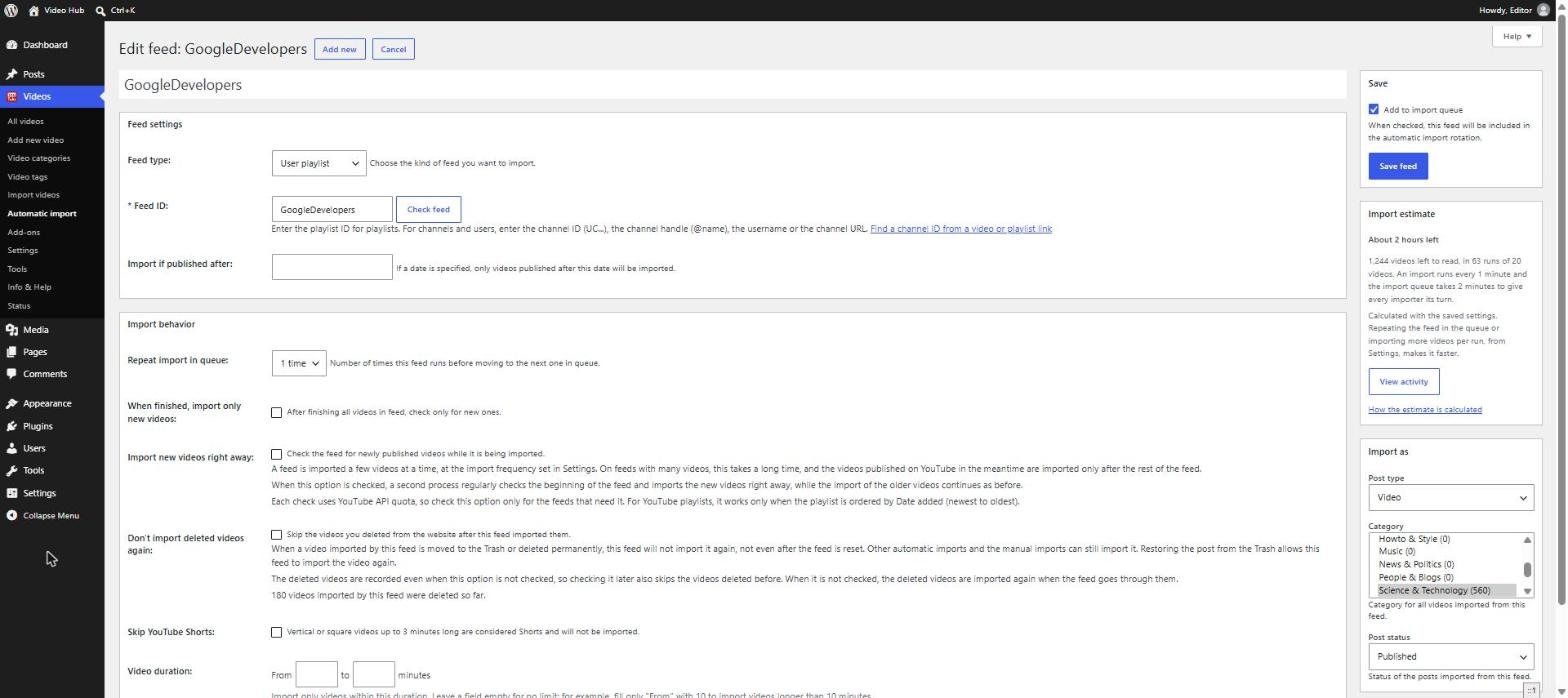
- Per import: post type, categories, author, post status, a “published after” date, a duration range in minutes and Skip YouTube Shorts
- Delete a video from your site and, if you choose, that import will never bring it back
- An import estimate shows how long the rest of a feed needs; an activity log records every run, skipped video and YouTube error
- A status sidebar, the import queue, today’s estimated API quota and a “With errors” view — plus pause, start and reset in bulk
New in 2.3 · Shorts
YouTube Shorts and vertical video
Video Hub detects the real proportions of every video when it imports it — 16:9, 4:3, 1:1, 9:16 or 3:4 — and embeds each one that way. YouTube Shorts in WordPress stay vertical instead of shrinking inside a widescreen box.
- Vertical players are centred and never taller than the screen
- Playlists resize the player for each video, so Shorts and widescreen videos can live in the same gallery
- Prefer long-form only? Skip Shorts in automatic imports or hide them while you pick videos
Publishing
Publish your way — with an editorial step
Decide where imported videos live and whether they go live straight away or wait for an editor.
- Import as published, draft or pending review — per import — so an editor can add context before anything goes live
- A dedicated “video” custom post type with its own archive and single pages, or regular posts that flow into your blog and homepage
- Theme-compatible posts when a supported video theme is active
- Pretty, customizable permalinks; optional homepage and main-RSS inclusion
Player
A player you control
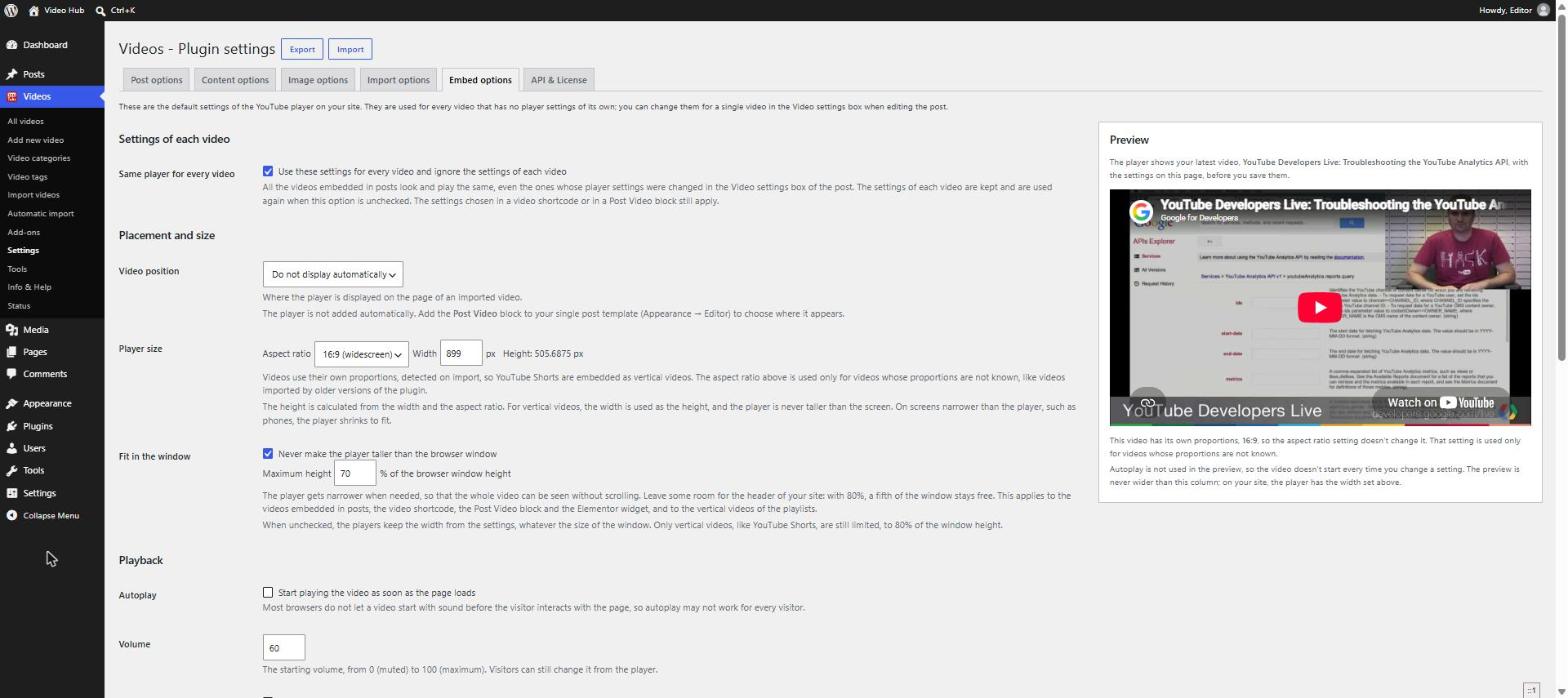
Every player option follows the current YouTube embed rules, and a live preview shows the result before you save.
- Width, volume, autoplay, controls, fullscreen, loop and keyboard controls
- Captions on by default, in the language you choose; videos play inline on iPhone
- “Fit in the window” keeps the whole player visible without scrolling; “Same player for every video” gives your site one consistent look
- Privacy-enhanced no-cookie embed, and suggestions limited to the same channel when the video ends
- The Post Video block shows a thumbnail and loads the YouTube player only when someone clicks play
Tools
Keep your video library healthy
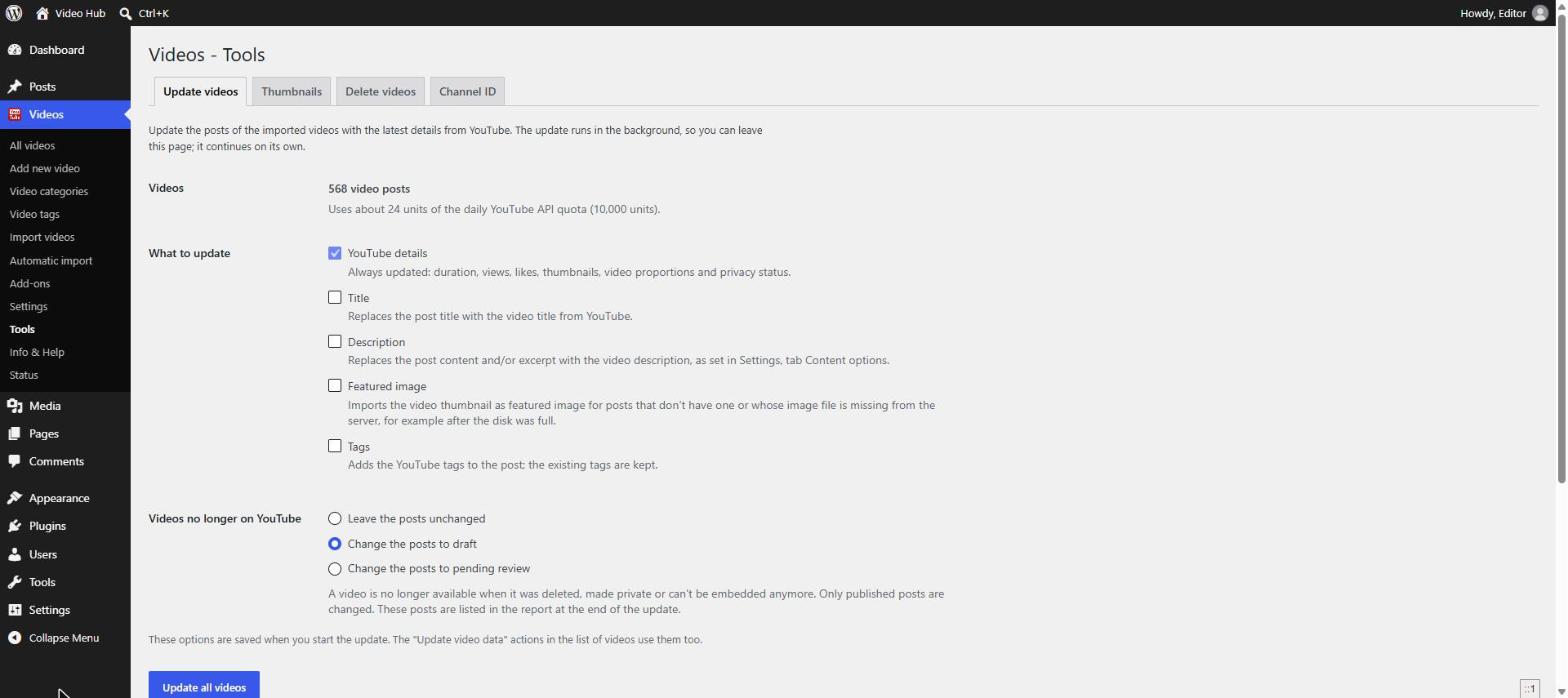
A library of hundreds of videos needs maintenance. The Tools page does it in the background.
- Update videos — refresh duration, views, likes, thumbnails and privacy status, optionally titles, descriptions and tags
- Thumbnails — re-import missing featured images in bulk, without spending API quota
- Delete videos — remove imported posts older than a number of days, together with their images, to free server space
- Channel ID — get any channel’s ID, uploads playlist and RSS feed from a channel URL, @handle or video link (also as a free online tool)
- Removed-video check — a post is unpublished only when YouTube confirms the video was deleted, made private or can’t be embedded
And everything around it
Display, search and scale
✎
Control the content
- Import categories and tags, original publish date, and titles
- Use descriptions as content, excerpt, both or none
- Strip boilerplate after a marker, make URLs clickable, and prevent stray auto-embeds
▦
Beautiful playlists
Six built-in themes — Default, Listy, Simple, Grid, Cinema and Minimal. See them on the themes & demos page.
- Build a playlist from hand-picked videos or from a whole video category — one gallery can mix videos from several channels
- Pagination and AJAX “load more”
- Media display modes: embed, featured image with video fallback, or image only; optionally show content or excerpt
⧉
Build anywhere
- Gutenberg blocks: Video, Playlist, Video Archive (grid or list with a muted hover preview) and Post Video for single templates
- Elementor widget and Elementor Templates compatibility
- Shortcodes
[cbc_video]and[cbc_playlist]with a visual builder - Latest Videos and Videos-by-Taxonomy widgets
▣
Images done right
- The YouTube thumbnail becomes the featured image, always at the largest size available (up to 1280×720)
- On-demand image import fetches the image only when a post is displayed
⌕
Built for search
Each video becomes its own page on your domain — a page you can optimize, interlink and add your own text to. Read more in our video SEO guide.
- Schema.org video microdata on video pages
- Compatible with Yoast Video SEO
- Include videos in homepage listings and the main RSS feed
⇄
Connect & scale
- OAuth connection with step-by-step Google Cloud instructions and a Test connection button; the API key is an optional fallback
- Daily API quota estimate with your own quota limit
- Export plugin settings and automatic imports to a file and import them on another site — keys and licenses are never exported
- Import controls: unlisted videos, exclude future live broadcasts, allow duplicates
- AMP support, add-ons, a Status page for diagnostics, and dozens of documented hooks and filters for developers
Put the whole toolkit to work
Includes every update and new feature while your license is active — backed by a 30-day money-back guarantee.